Focus Timer
Study in focused sprints with breaks, track your daily goal and keep a study streak
The Focus Timer is a Pomodoro-style timer. You study in focus blocks, take a short break after each one, and take a longer break after a set of blocks. It does not use your AI generations or your note allowance.
Where to find it
- The violet Focus pill in the header of Home, the Study tab and the Flashcards tab.
- A small violet play button in the top bar of note study, flashcard study, quiz and chapter pages.
- The Focus tile in the Home Shortcuts row, and the Focus card on the Study Desk.
- Settings > Focus Timer, which opens the timer's settings only.
While a session runs, the pill turns into a countdown (for example 17:42) that fills with the phase colour. Tap it to open the full timer page. A small floating timer also follows you around the app, and you can drag it.
Start a session
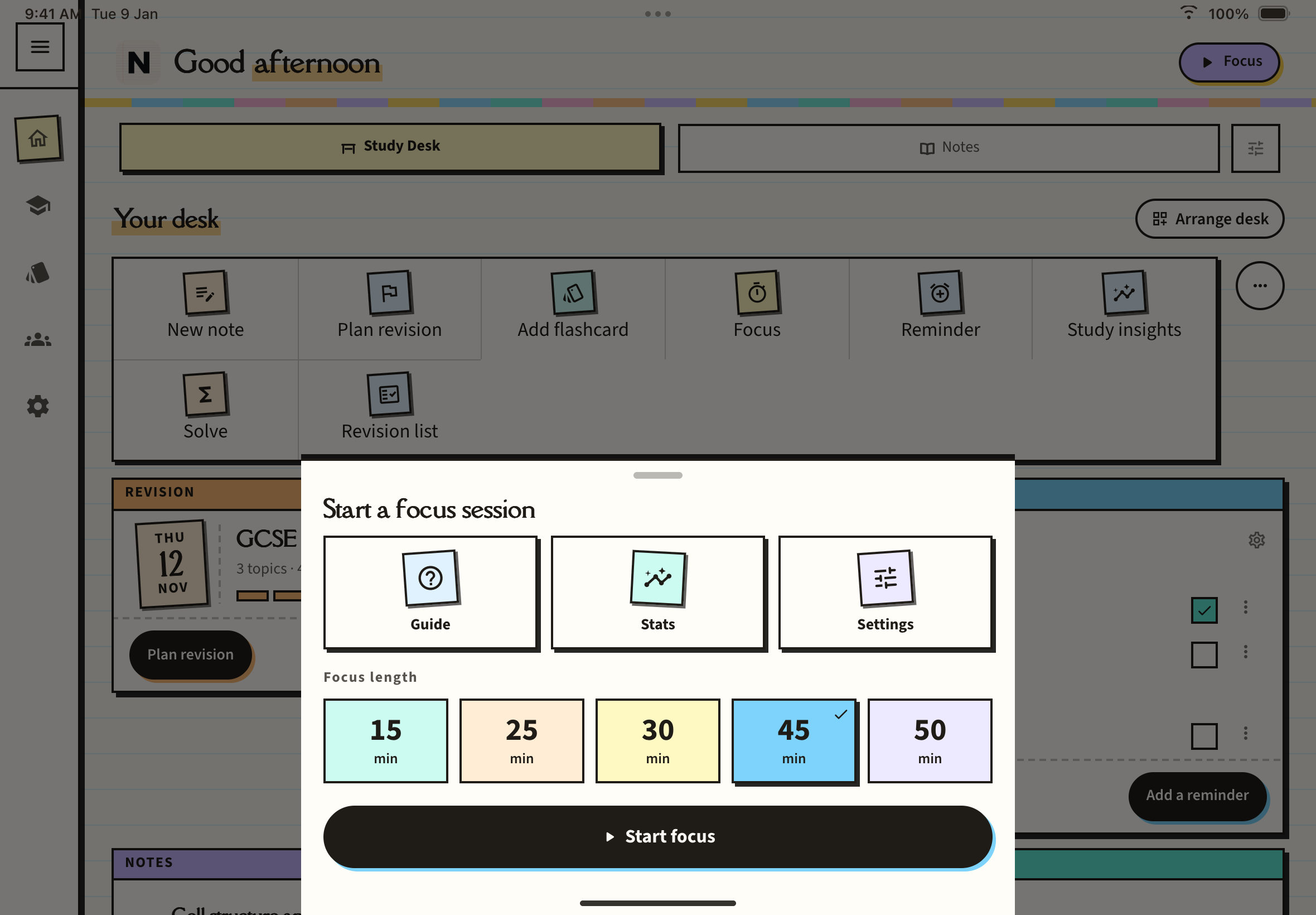
The Start a focus session sheet opens with three cards, Guide, Stats and Settings, and a Focus length row.
On a paid plan you can pick 15, 25, 30, 45 or 50 minutes for this session. On the free plan the length is fixed at 25 minutes.
The first time, iOS asks to allow notifications so Notesmakr can tell you when a block ends while the app is in the background.
The timer page
The page shows a bar for the whole cycle, a ring with the countdown and a phase label (Focus, Short break or Long break), your round ("Round 2 of 4"), how far through the cycle you are ("Elapsed") and three controls:
- Pause / Resume: freezes or restarts the countdown.
- Skip: ends the current phase and starts the next.
- Stop: ends the whole session.
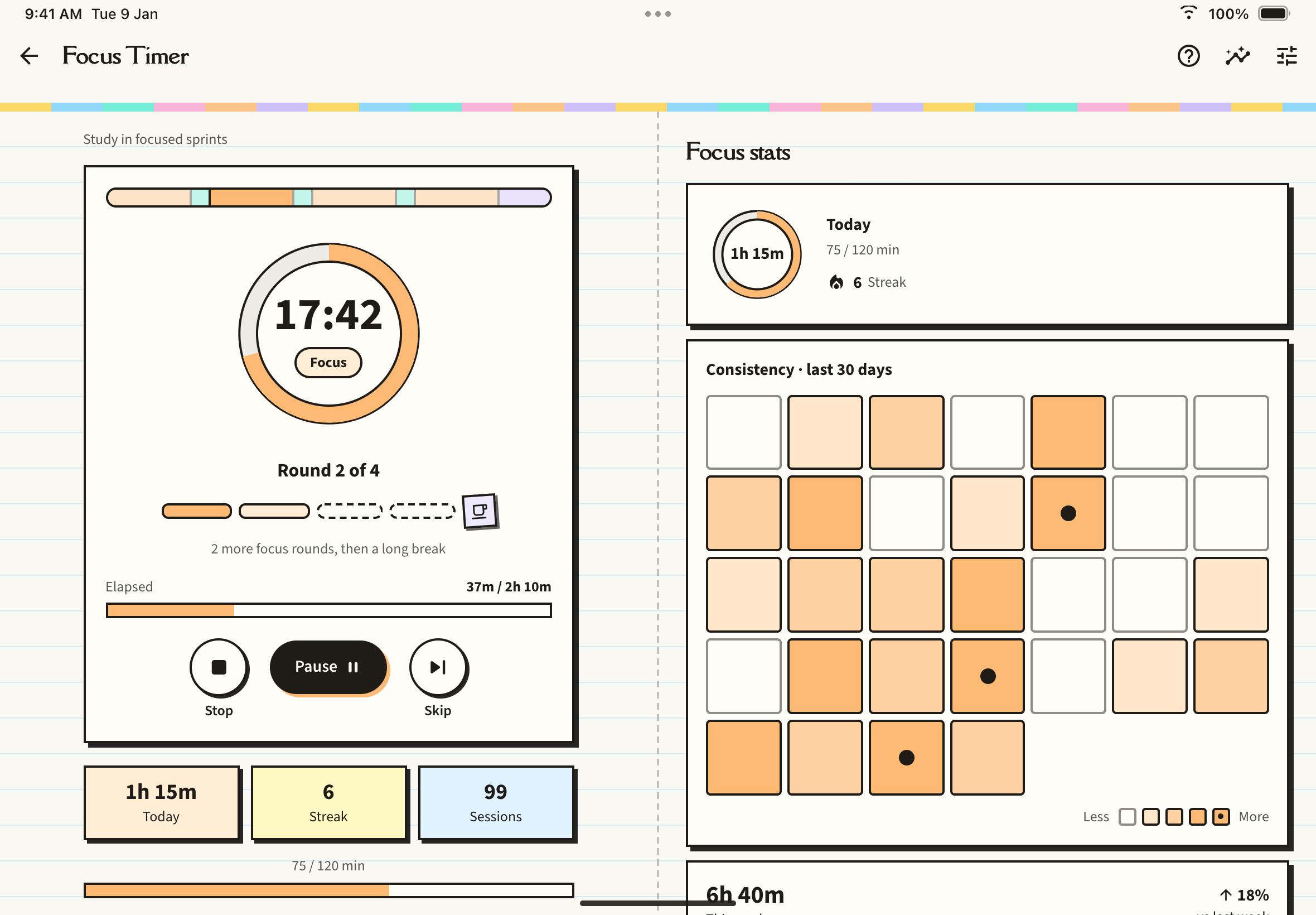
The defaults are 25 minutes of focus, a 5 minute short break, and a 15 minute long break after four blocks. Phases flow on their own inside a cycle. When a long break ends, the next focus block waits for you to tap start, so a forgotten timer does not log blocks you never did. When a phase ends you get a notification such as "Focus block complete" or "Break's over". Locking your phone does not stop the countdown, because the remaining time is always worked out from the clock.
The guide
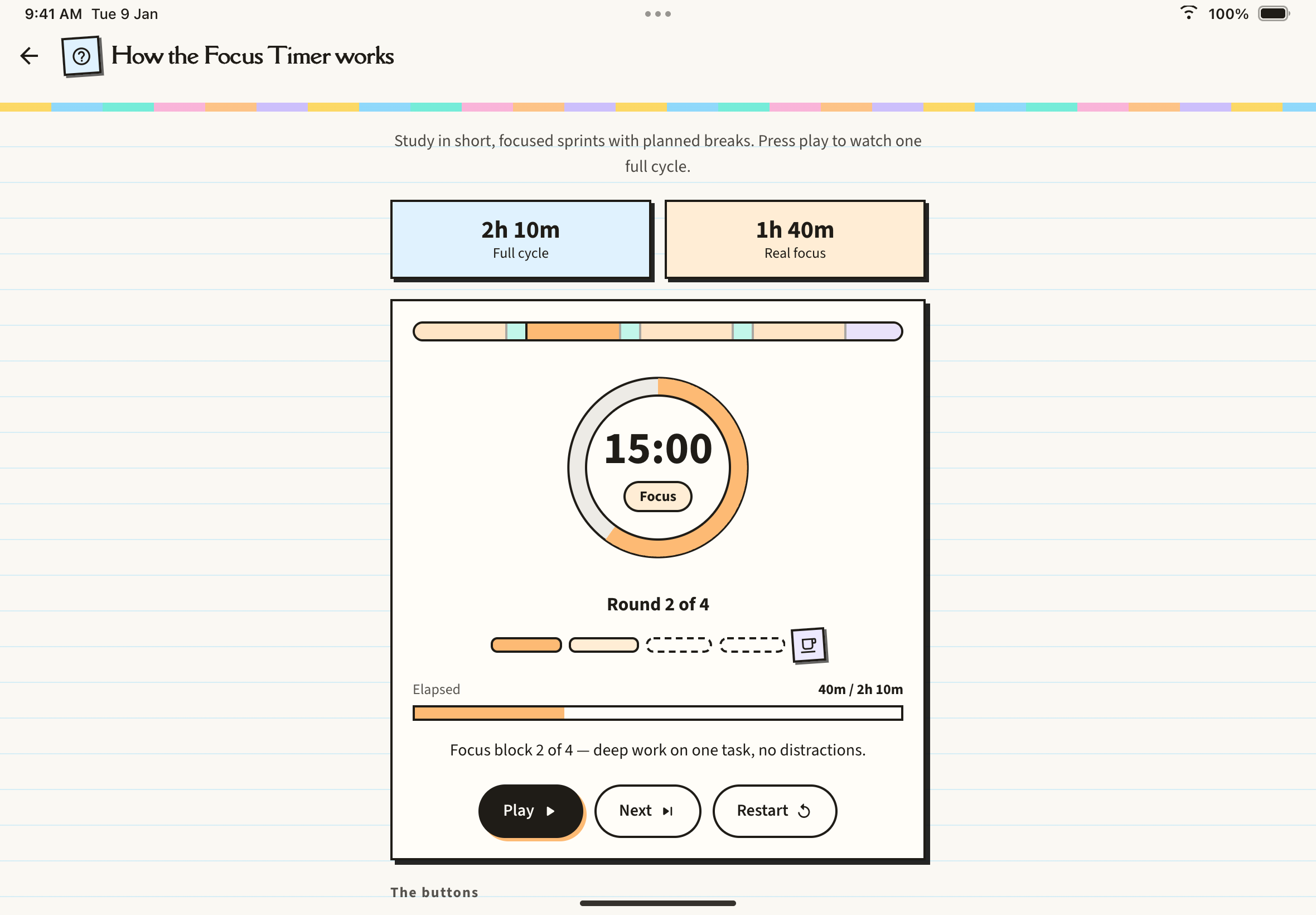
Tap Guide (or the question-mark button on the timer page) for How the Focus Timer works, an animated walkthrough of one cycle built from your own settings, with Play, Next and Restart buttons. It is the same for everyone.
Settings (a paid plan)
Open Settings from the sheet or the timer page. The rows are visible on the free plan, but only a paid plan can change them.
- Durations: focus length, short break, long break, and Blocks before long break.
- Behavior: Auto-start next cycle, and Play a sound when a block ends.
- Daily goal: your Daily focus goal in minutes.
The reset button at the top right restores the defaults.
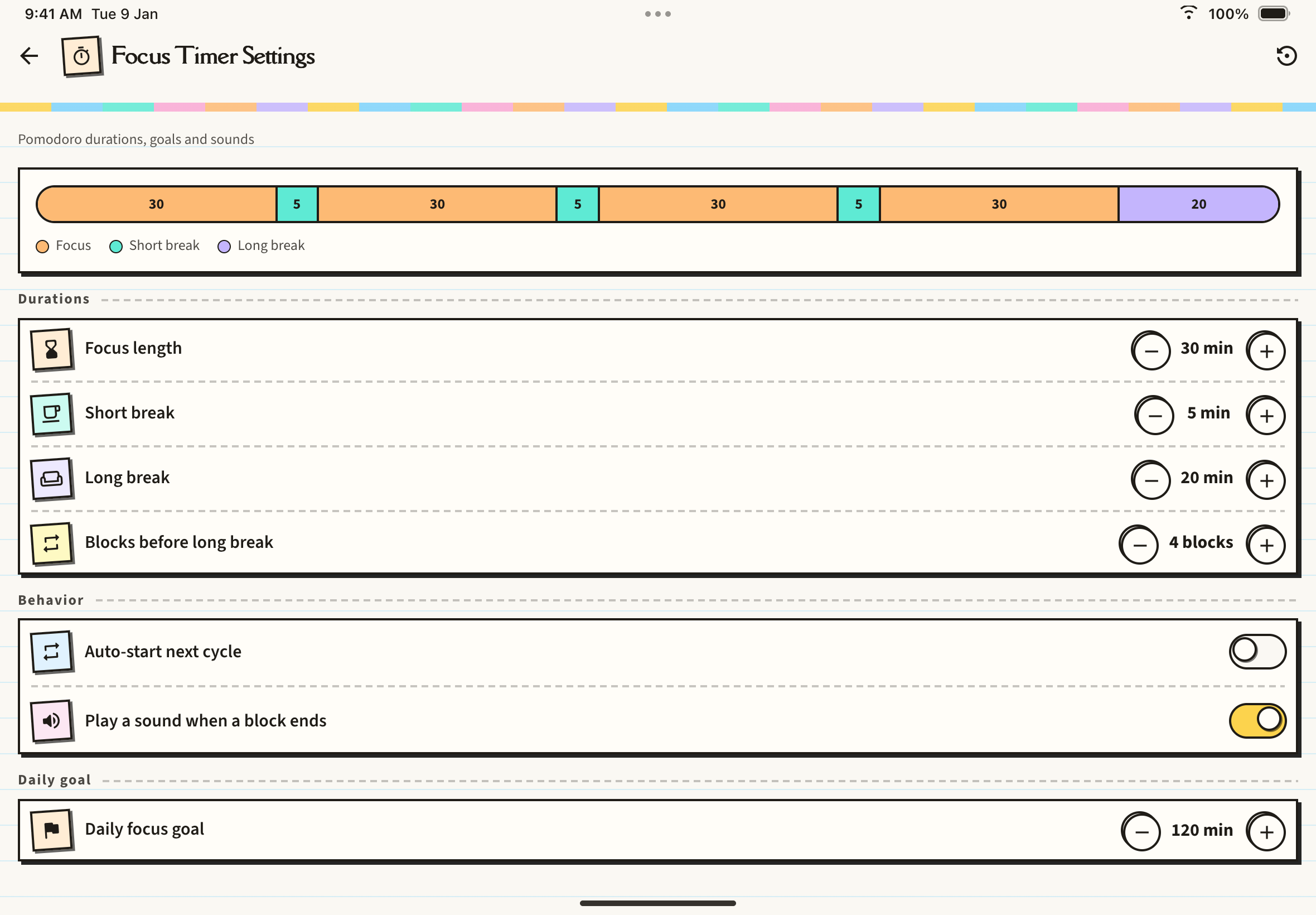
On a paid plan you can also attach a session to the note you started it from, and see a recap after each block. If a paid plan ends, your saved values are kept but the timer runs on the free defaults.
Stats (a paid plan)
Stats shows today's ring against your goal, your streak, a Consistency · last 30 days map, this week against last week, and where your focus went by subject. On the free plan this page shows an upgrade card instead.
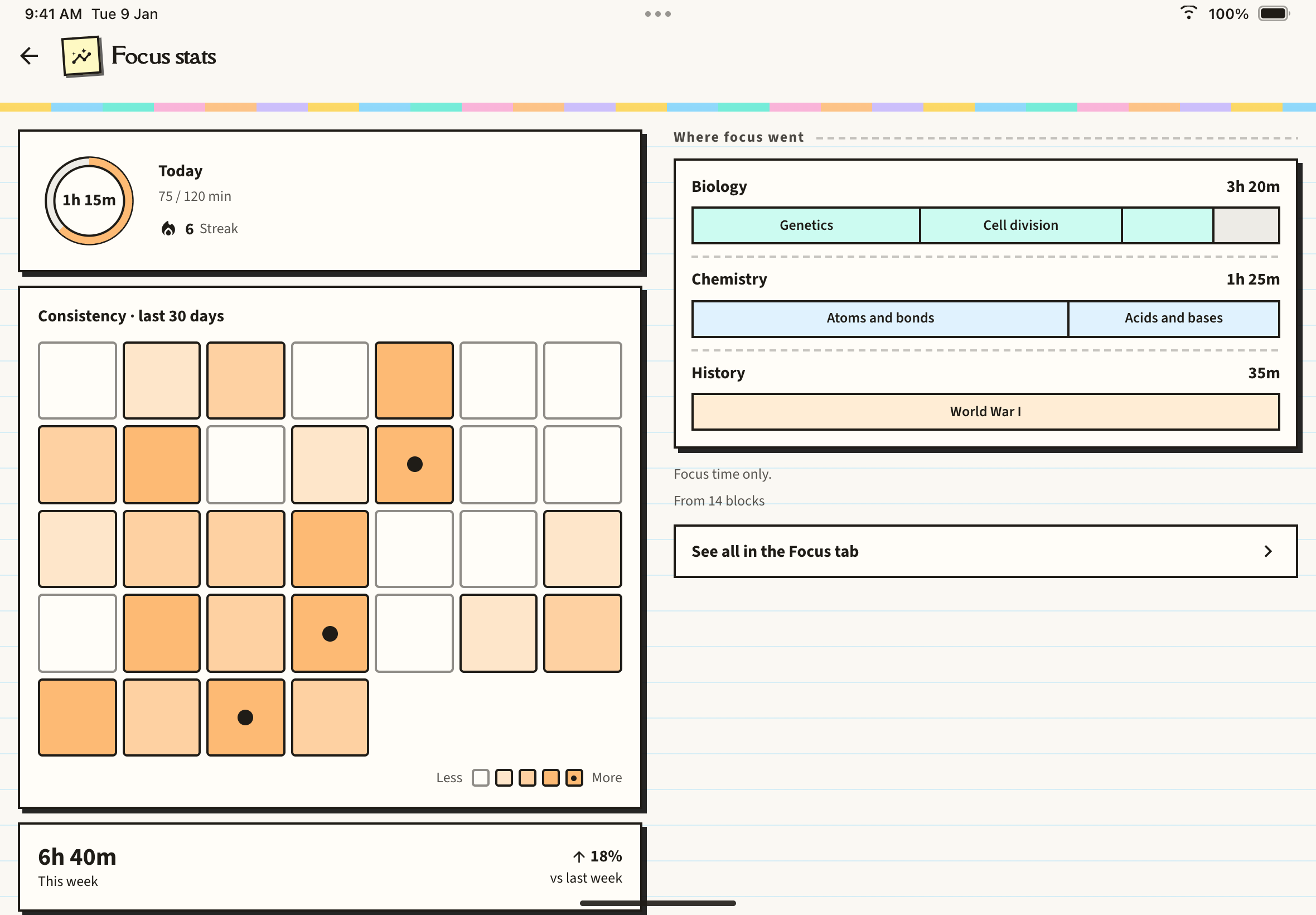
Your study streak
Notesmakr keeps one daily study streak. It goes up by one the first time each day that you finish a focus block, a quiz or a flashcard session. Several sessions in one day count once. If you miss a whole day it resets. The streak shows as a flame pill on the Desk Focus card, and a paid plan also shows it on the timer page and in stats.
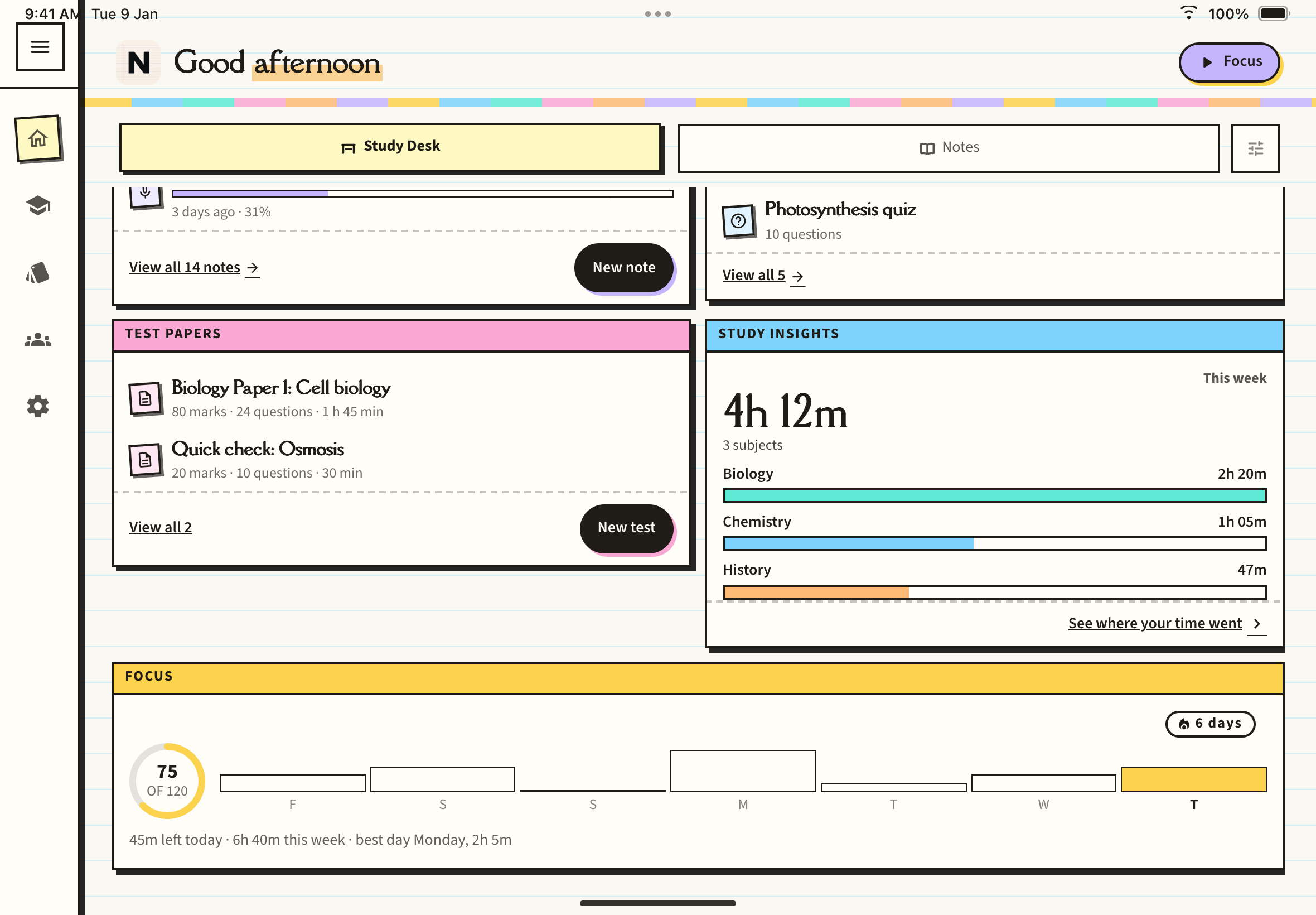
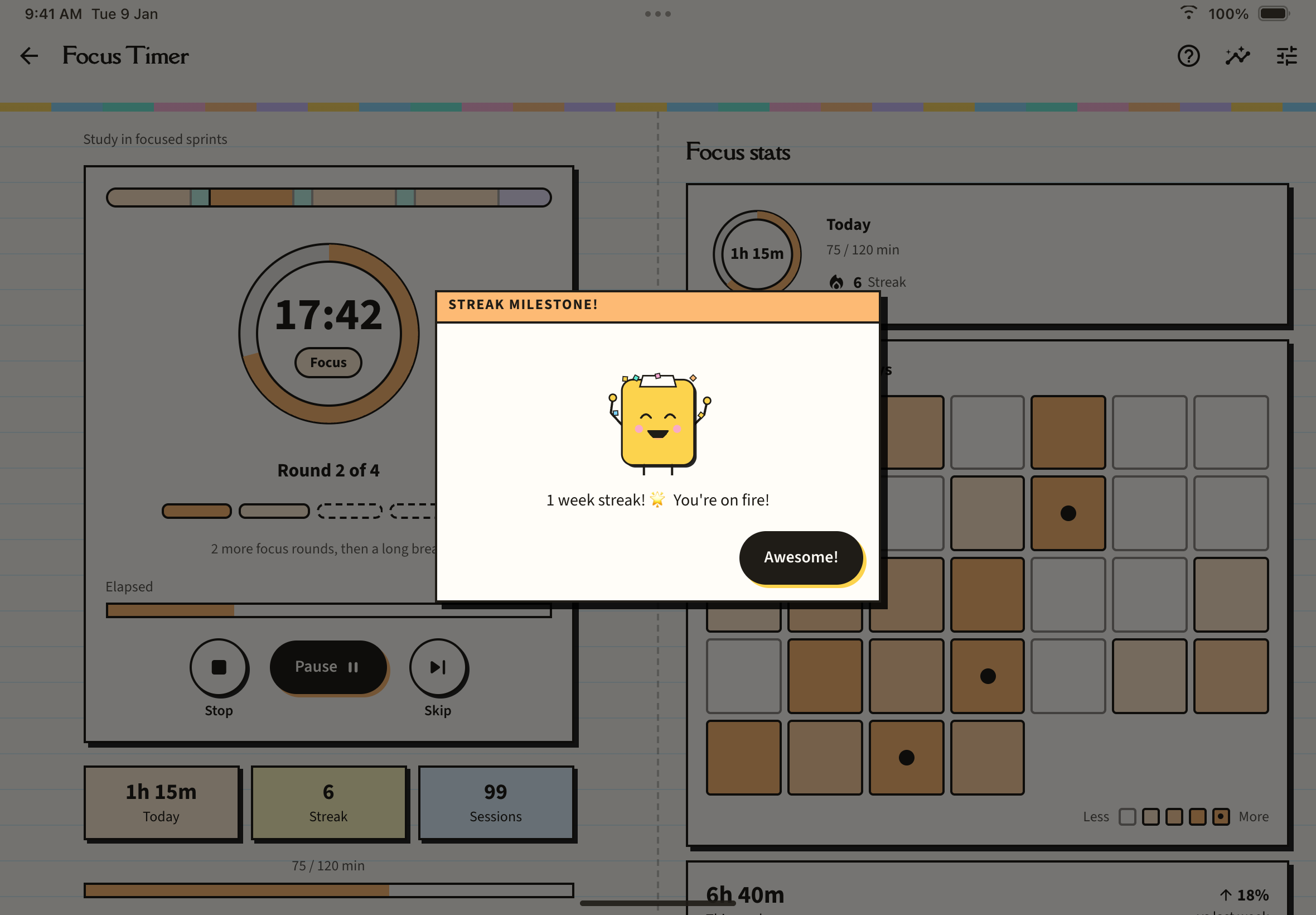
At 3, 7, 14, 30, 60, 90, 180 and 365 days, Pippy pops up with a Streak Milestone! message, as long as Pippy is switched on in Settings.