Viewing a Shared Note
Understand what viewers see when accessing your shared study notes and how they can interact with the content
When someone accesses your shared study note, they get a clean, optimized web page designed for easy reading and learning. This guide explains what viewers see and how they can interact with your shared content.
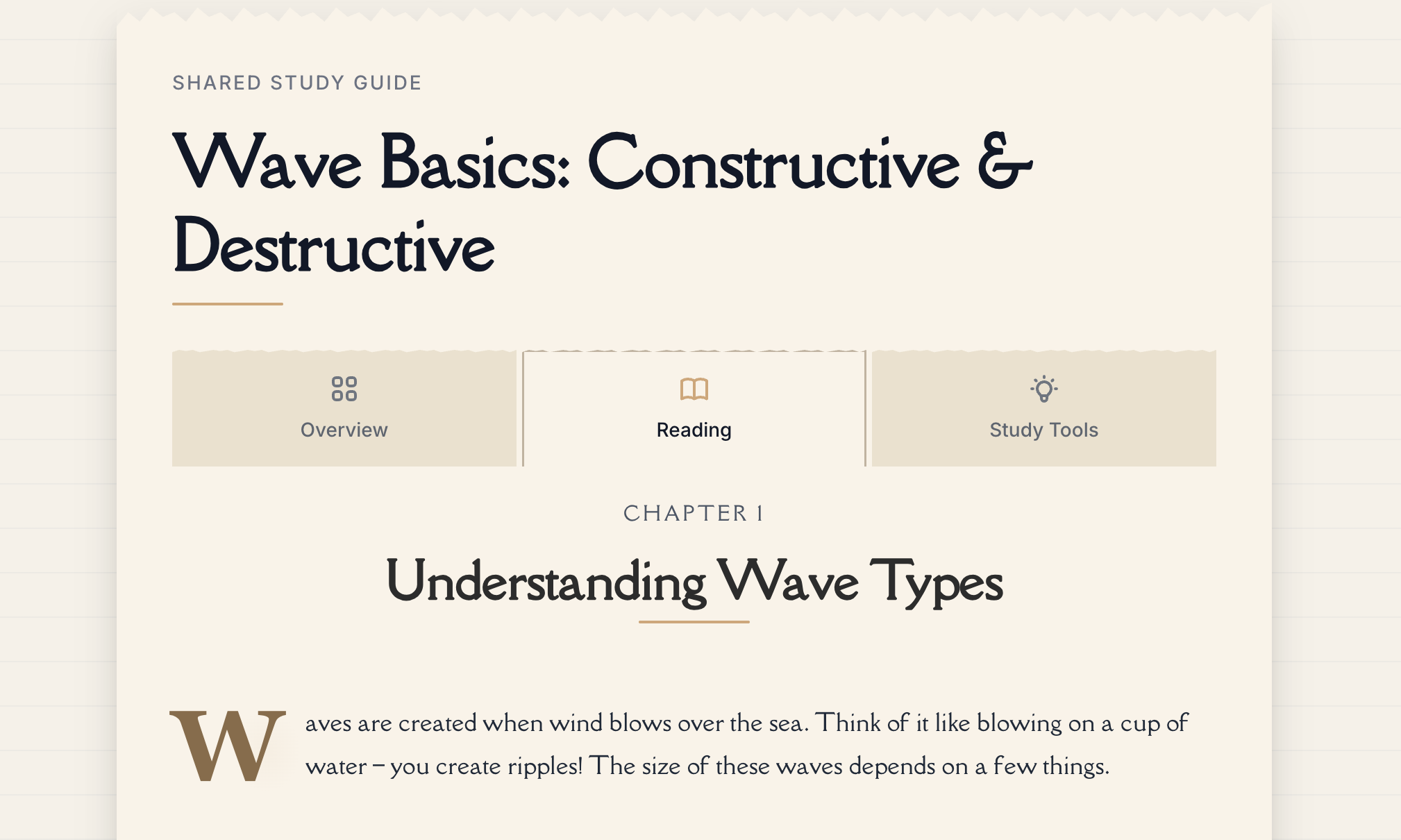
The Viewer Experience
Shared notes open in a dedicated web page optimized for:
Clean, Distraction-Free Reading
No ads, no clutter—just your study content presented clearly.
Mobile-Friendly Design
Responsive layout that works perfectly on phones, tablets, and desktops.
Fast Loading
Optimized for quick access even on slower internet connections.
No Account Required
Viewers don't need a Notesmakr account to read your notes—just the link.
The viewer experience is intentionally simple and focused. This helps learners concentrate on your content without distractions!
Page Layout
Header Section
At the top of the shared note page, viewers see:
Note Title Your study note's title displayed prominently.
Creation Date When the note was created—helps viewers assess the note's timeline.
Author Credit (Optional) Your name (if you've enabled "Show author name" in share settings).
Content Display
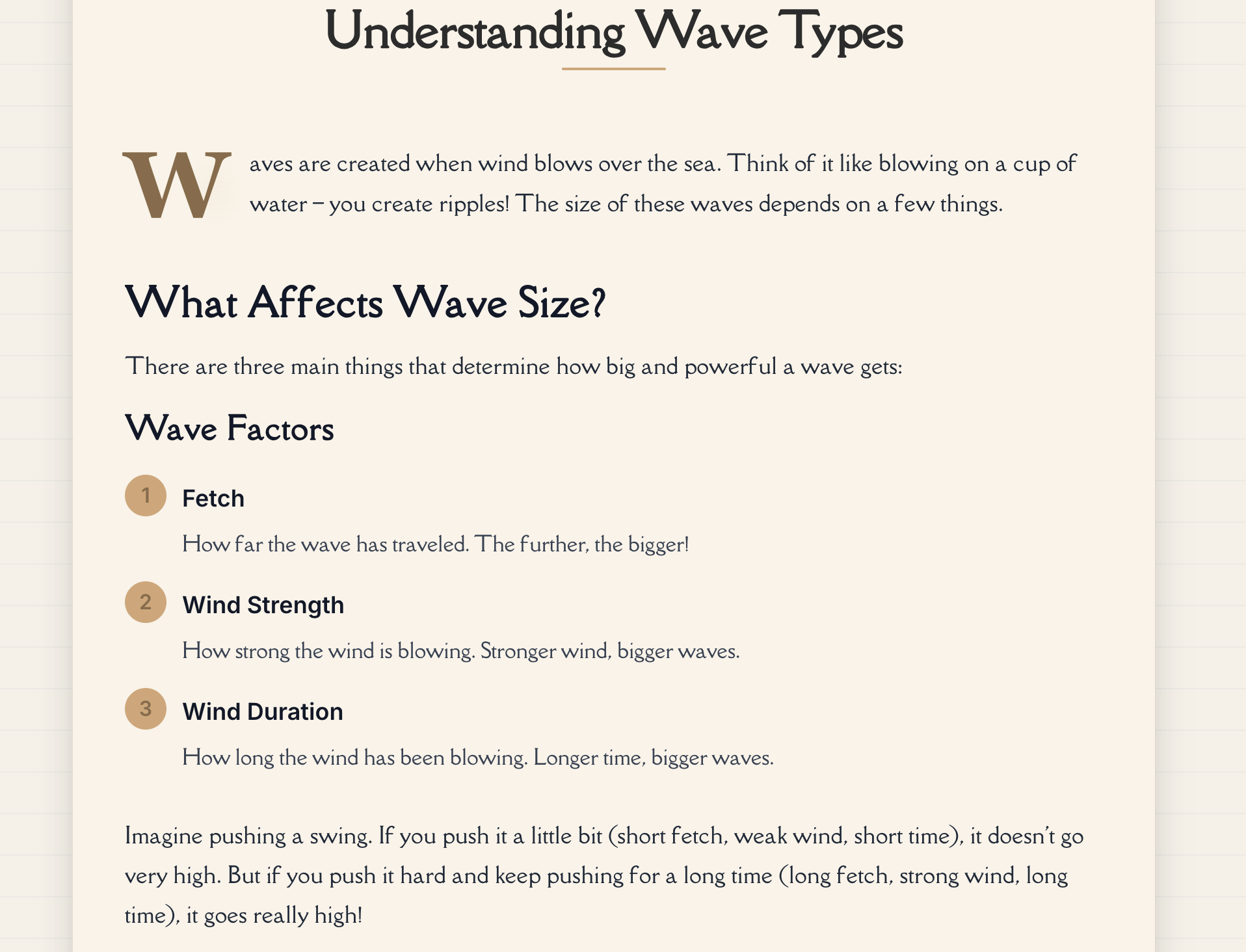
Shared notes display content in a clean reading mode:
Reading View
- Simplified content (your Feynman explanation) if available
- Falls back to original content if no simplified version exists
- Content is parsed into pages for easy navigation
- Clean, distraction-free layout optimized for reading
- Read-only mode (no highlighting or annotating for viewers)
Interactive Features for Viewers
Read the Content
Viewers can read through your shared note:
- Navigate through pages using swipe gestures or navigation buttons
- Read simplified or original content in a clean, mobile-friendly format
- Scroll smoothly through the material
- View content without any distractions
Note: Study tools (flashcards, quizzes, mind maps) are NOT shared and remain private. Viewers only see the text content of your note.
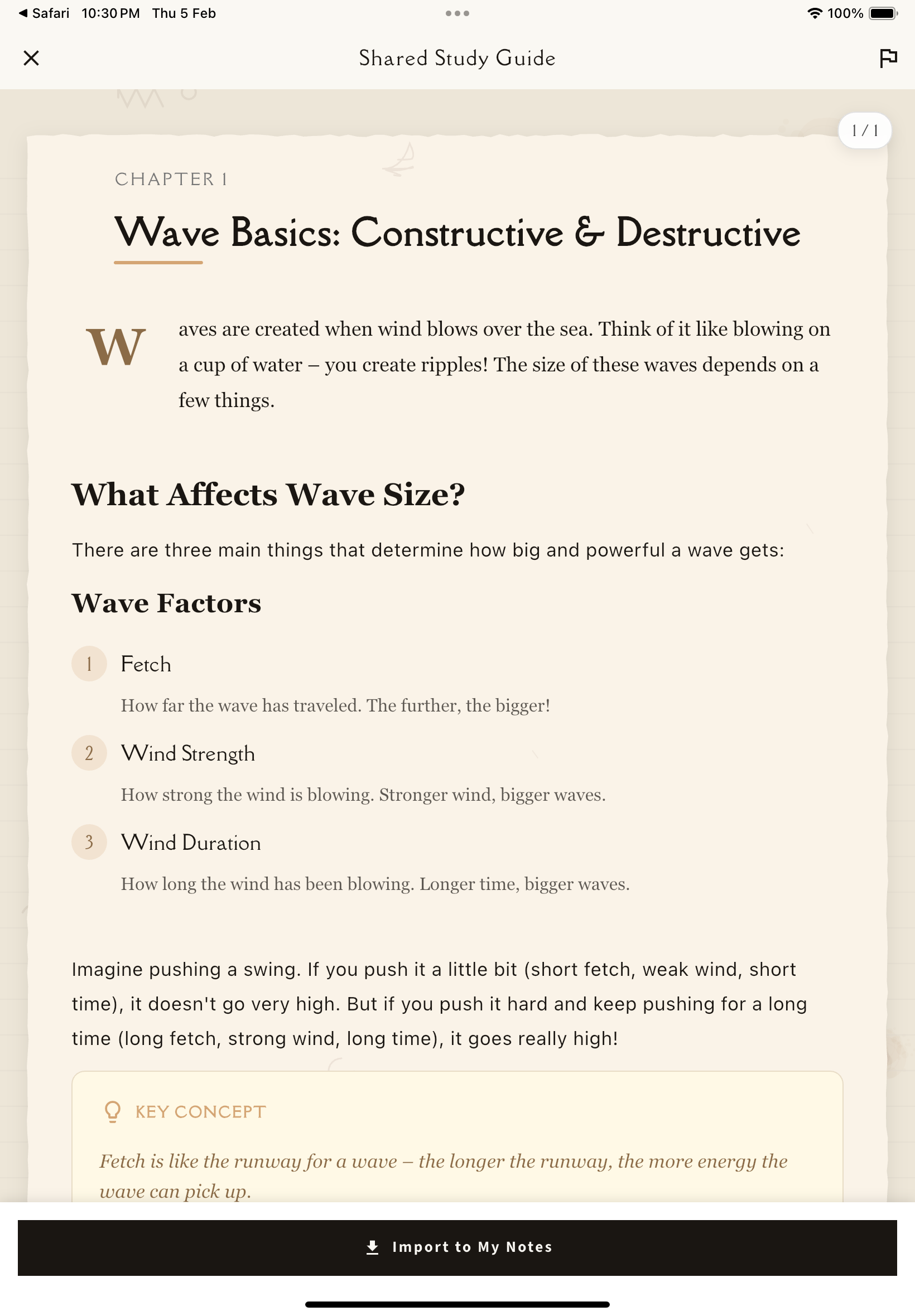
What Viewers Can Do
Import the Note to Their Account
Viewers can import your note to their own Notesmakr account:
At the bottom of the shared note page, viewers see an "Import" button in the navigation bar.
If they don't have a Notesmakr account, they'll be prompted to sign in or create one.
A complete copy of your note content is added to their account. The import includes:
- Simplified content (your Feynman explanation)
- Original content
- Note metadata (title, creation date)
Their imported note is completely independent. They can:
- Add their own annotations and highlights
- Generate their own study tools (flashcards, quizzes, mind maps)
- Modify and personalize the content
- Track their own study progress
Important: This creates a completely separate copy—viewers don't edit your original, and their copy isn't linked to yours. Your updates won't affect their imported version.
Report Inappropriate Content
Viewers can report shared notes that contain:
- Spam
- Inappropriate content
- Copyright violations
- Offensive material
- Other issues
In the app bar, viewers see a flag icon for reporting.
Choose from preset reasons (spam, inappropriate, copyright, offensive, other).
Provide additional context about the issue (up to 500 characters).
Reports are submitted anonymously and help keep the community safe.
This reporting system helps maintain quality and appropriateness of shared content.
Importing creates independent copies, which encourages active learning. Viewers create their own annotations and study tools rather than passively consuming your work. This leads to better retention and understanding!
What Viewers DON'T See
Study Tools
Study tools remain completely private and are NOT shared:
- Flashcards
- Quizzes
- Mind maps
Viewers cannot access these—they're exclusive to you.
Personal Annotations
All personal annotations remain completely private:
- Typed notes
- Handwritten drawings
- Voice recordings
- Your annotations and insights stay hidden
- Your questions and personal examples are yours alone
Highlights and Markups
Your text markups are not visible:
- Highlights
- Underlines
- Strikethroughs
- Any formatting you applied
Study Progress
Your personal study stats remain private:
- Study time
- Comprehension levels
- Last studied dates
- Progress tracking
Tags and Organization
Your personal categorization system:
- Tags you've applied
- Collections/folders
- Custom organization
Profile Details
Unless you enable "Show author name":
- Viewers don't see your name
- Your email and contact info remain private
- Your other study notes aren't visible
Edit Capabilities
Viewers can only read in read-only mode—they cannot:
- Edit your note content
- Highlight or annotate while viewing
- Delete or change anything
- Access any interactive features besides reading
Shared notes are read-only for viewers. Your original note is always safe, and only the content you explicitly shared is visible.
Mobile Experience
Shared notes in the Notesmakr app are optimized for mobile viewing with:
- Clean, single-column reading layout
- Page-by-page navigation with swipe gestures
- Mobile-friendly tap targets for buttons
- Responsive design that adapts to screen size
- Smooth scrolling through content
The viewing experience is consistent across different device sizes and orientations.
Viewer Analytics (What You See)
As the note creator, you can see basic aggregate statistics on the share page:
View Count
Total number of times your share link was accessed by viewers.
Import Count
How many times viewers imported your note to their own Notesmakr account.
These statistics update in real-time as people interact with your shared note.
A high import count means your note is valuable enough that people want to add it to their personal collection and build on it with their own annotations and study tools!
Discoverability
Public vs Unlisted Sharing
Public Sharing:
- Your note can be indexed by search engines (Google, Bing, etc.)
- Appears in Notesmakr's public directory
- Can be discovered by anyone interested in the topic
Unlisted Sharing:
- Only accessible via direct link
- NOT indexed by search engines
- NOT listed in public directories
- Perfect for sharing with specific people
You can choose your visibility setting on the share page and change it anytime.
Viewer Privacy
Notesmakr respects viewer privacy:
Anonymous Viewing
Viewers can read shared notes without creating an account or providing any personal information.
No Individual Tracking
View and import statistics are aggregate counts only—you can't see who specifically viewed or imported your note.
Account Only for Import
An account is only required if viewers want to import the note to their personal collection.
Common Viewer Questions
"Can I edit this note?"
No, shared notes are read-only. But you can import it to your own account and edit your copy!
"Do I need an account to view?"
No, anyone with the link can view without creating an account. An account is only needed to import the note to your library.
"Are study tools (flashcards, quizzes) included?"
No, study tools remain private. Only the text content (simplified and original) is shared. After importing, you can generate your own study tools from the content.
"Can I add my own annotations?"
Not while viewing the shared version. However, if you import the note to your account, you can add typed notes, handwritten drawings, voice recordings, and highlights to your personal copy.
"How do I report inappropriate content?"
Tap the flag icon in the app bar, select a reason (spam, inappropriate, copyright, offensive, other), and optionally add a description. Reports are anonymous.
Troubleshooting Viewer Issues
"The link doesn't work"
- Check that the full URL was copied correctly
- Verify the creator hasn't stopped sharing
- Try opening in a different browser or incognito mode
"Content isn't displaying"
- Check internet connection
- Try closing and reopening the app
- Make sure you have the latest version of Notesmakr
- Report the issue if problems persist
Next Steps
Now that you understand the viewer experience:
- Review your own shared notes to see how they appear to viewers
- Monitor view and import statistics to understand engagement
- Share more high-quality notes to help the learning community!