
Flashcards
Learn how flashcards help you memorize and retain information through active recall and spaced repetition
Flashcards are one of the most effective tools for memorization and long-term retention. Notesmakr's flashcard system helps you test your understanding and strengthen your memory through active recall.
How Flashcards Work
Flashcards present information in a question-and-answer format. You see the front of a card (usually a question or prompt), try to recall the answer, then flip the card to check if you were correct. This process of actively retrieving information from memory is called active recall, and it's a well-known way to strengthen memory and improve retention.
Three Ways to Get a Deck
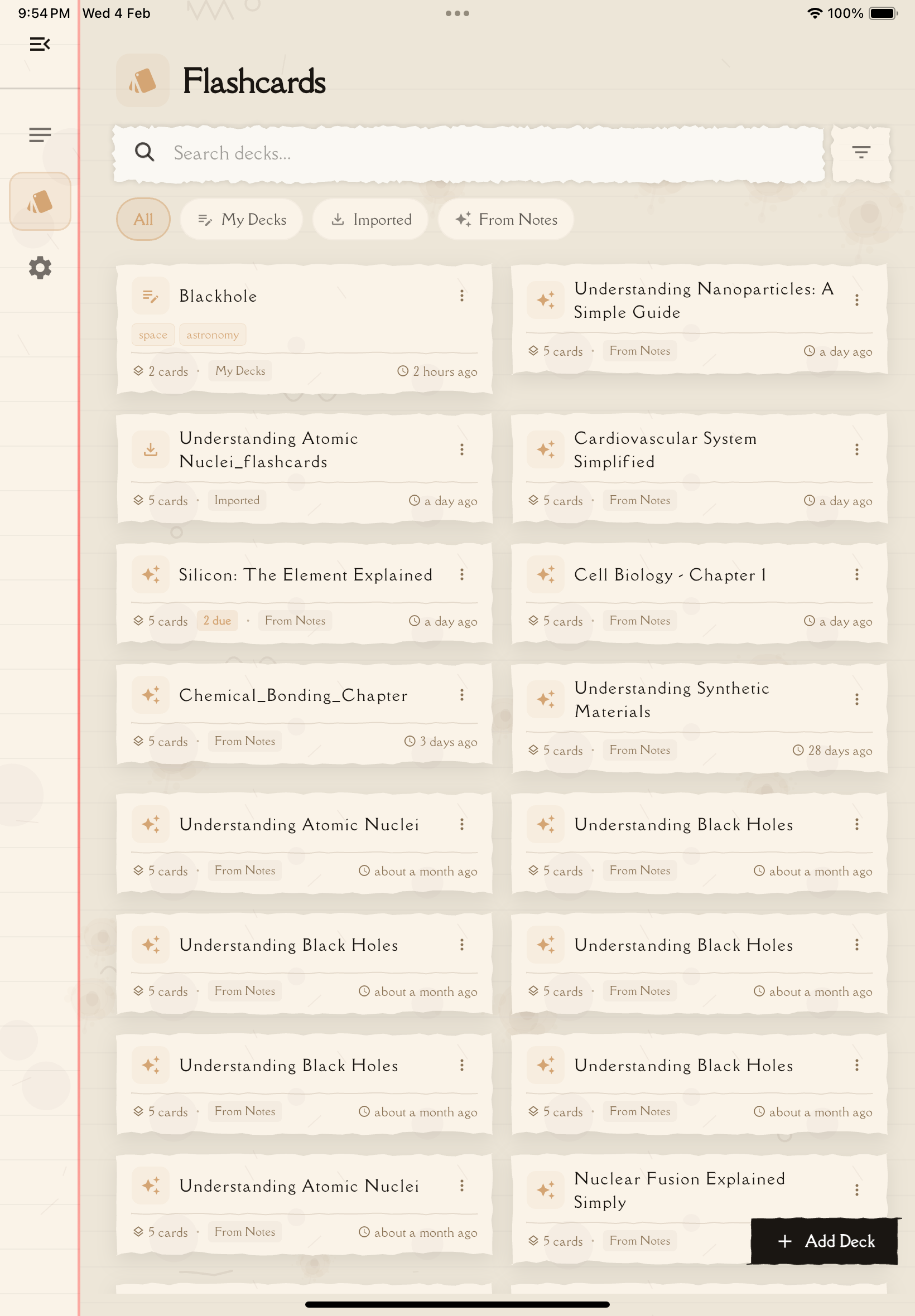
Notesmakr gives you three ways to build a flashcard deck. In the app they show up as From Notes, My Decks and Imported.
Generated from a Note (From Notes)
Notesmakr's AI can generate a flashcard deck from one of your study notes. You choose the card type (Q&A or Fill-in-Blank) and the difficulty, and the AI writes short, focused cards from your note.
Benefits:
- Saves time—no need to write the cards yourself
- Gives you focused cards, each built around a single idea
- Covers the key points of your note
- Works with Q&A cards or fill-in-the-blank cards
Decks generated from a note are made for studying. They can't be edited, but you can delete them or generate another deck from the same note.
Created from Scratch (My Decks)
On the Flashcards tab, tap Add Deck, then Create from Scratch to build a deck of your own, card by card.
Benefits:
- Full control over what questions to include
- Customize wording to match your understanding
- Add personal mnemonics or examples
- Focus on areas where you need more practice
Imported from a File (Imported)
Tap Add Deck, then Import from File to bring in a deck from a CSV file or an Anki file. Imported decks can be edited just like decks you create yourself.
What You'll Find in This Section
This section covers everything you need to know about using flashcards in Notesmakr:
- Flashcard Decks List — View and manage all your flashcard decks
- Generate Flashcards — Let AI create flashcards from your notes
- Create & Edit Flashcards — Build or customize your own decks
- Studying Flashcards — Learn the most effective study techniques
Why Flashcards Matter
Flashcards align perfectly with the Feynman Technique principles that Notesmakr is built on:
- Active Learning — You actively engage with material instead of passively reading
- Identify Gaps — Cards you struggle with reveal what you don't understand yet
- Reinforce Understanding — Repeated practice strengthens memory
- Quick Review — Perfect for efficient pre-test review sessions
Next Steps
Ready to start using flashcards? Begin by exploring your Flashcard Decks List or learn how to Generate Flashcards from your existing notes.