
The Study Tab
Study paths, the Calendar, Revision plans, Tests, the Focus Timer and Study insights: where your studying is organised
The Study tab is where Notesmakr organises the studying around your notes: what you are working through, when your exams are, and how your time is going. On iPad it is the graduation-cap item in the sidebar; on iPhone it is the Study tab in the bottom bar.
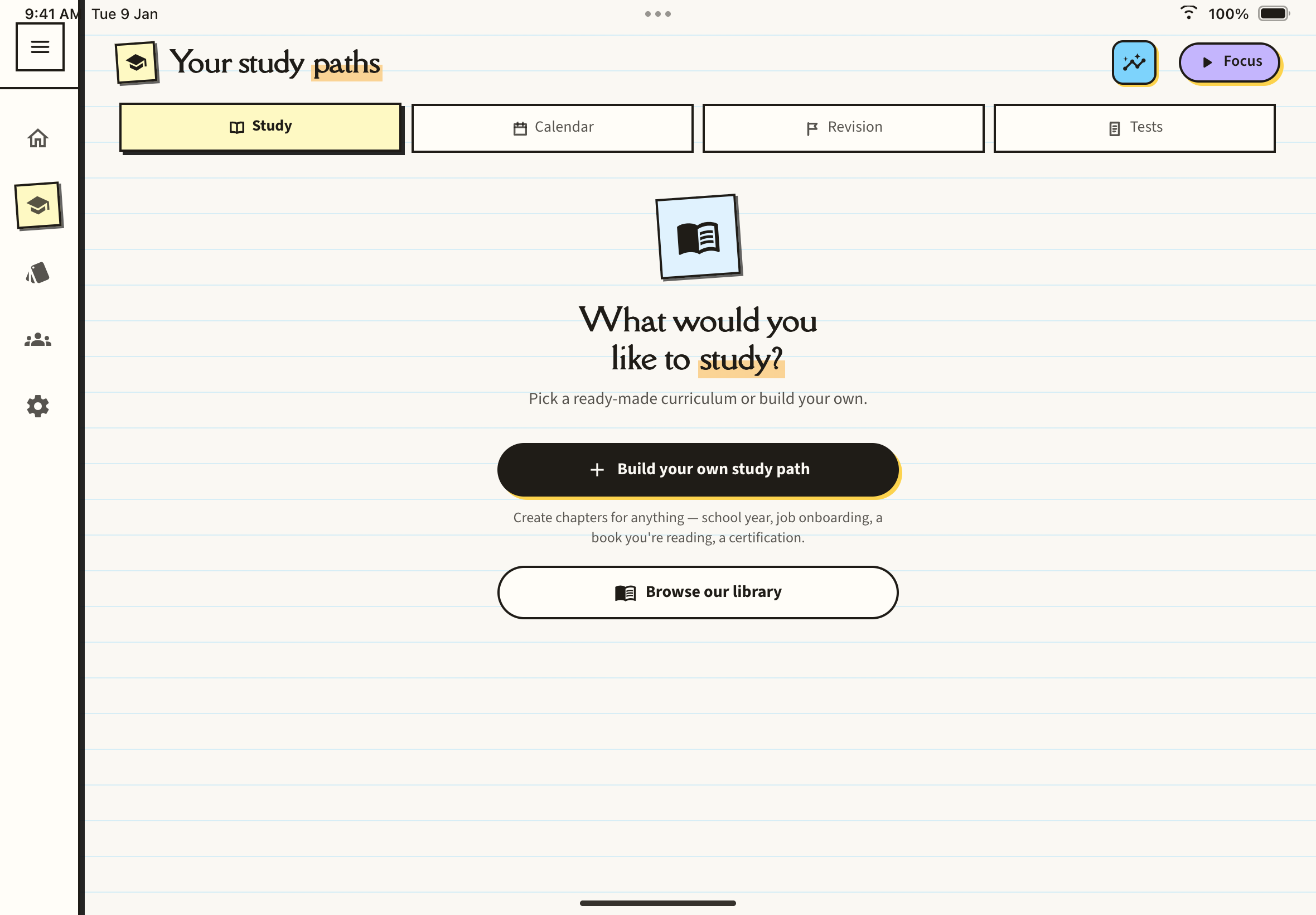
The four inner tabs
Along the top of the Study tab sit four inner tabs:
- Study: your study paths, ready-made Library curricula and courses you build yourself. See Study Paths.
- Calendar: your reminders and revision sessions on a calendar. See Revision Plans and Reminders.
- Revision: your exam plans, with a countdown and a Catch up button for missed sessions. See Revision Plans and Reminders.
- Tests: practice papers you can attempt with a timer. See Practice Papers.
Two buttons sit in the header next to them: Study insights (the chart button) and the violet Focus pill. See Focus Timer and Study Insights.
Related pages on Home
Your Home tab opens on the Study Desk, a dashboard that pulls the most useful parts of the Study tab onto one screen. See The Study Desk.
What's in this section
- The Study Desk: the Home dashboard, its Shortcuts row and how to arrange it
- Study Paths: follow a Library curriculum or build your own
- Focus Timer: study in focused sprints and keep a daily streak
- Practice Papers: build a timed test from your notes and see where you lost marks
- Revision Plans and Reminders: the Calendar, exam countdown plans and catching up
- Study Insights: see where your study time went (a paid plan)