
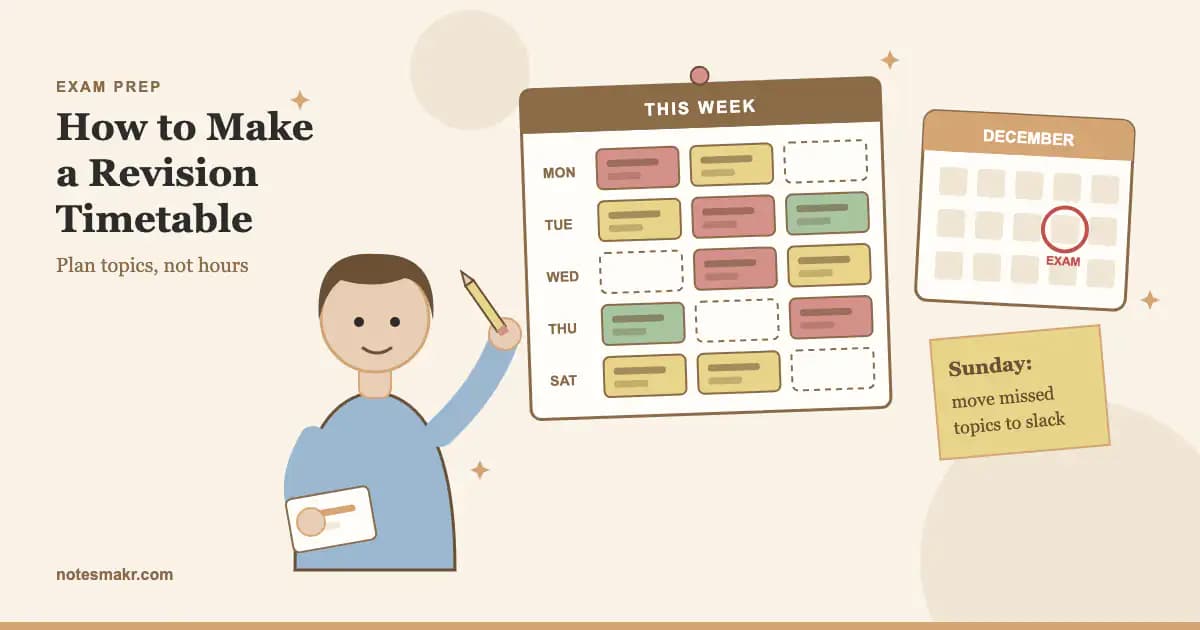
Here is the uncomfortable truth about revision timetables. Most of them are dead by the second week. Not because the student was lazy, but because the timetable was a wish: every evening booked, every subject given the same time, and nothing left over for the night the homework ran long.
Learning how to make a revision timetable is really learning how to plan for the version of you that gets tired, falls behind and has a football match on Thursday. This guide shows you how to build one that bends instead of breaking. You will work back from your exam or mock dates, give more time to your weakest topics, schedule topics rather than hours, and leave deliberate slack.
At the end there is one fillable layout that works on paper, in Google Sheets, in Excel or in Notion. If you are revising for mocks this term, pair this with the six-week mock revision plan.
What Is a Revision Timetable?
A revision timetable is a plan that tells you which topic you will revise, in which session, on which day, between now and your exams. A good one answers three questions at a glance: what am I revising today, how long for, and how will I test myself on it?
That last question matters more than it looks. A timetable is not the revision. It only books the time. What you do inside each block decides whether you remember anything, so every slot should end with something active: flashcards, exam questions or a blank-page brain dump.
A revision timetable is also different from a general study schedule. A study schedule keeps you on top of homework through the year. A revision timetable has a finish line: a set of exam dates you are counting down to.
Why Most Revision Timetables Fail
Psychologists have a name for the main reason: the planning fallacy. In a well-known study, Buehler, Griffin and Ross (1994) asked 37 psychology students to predict when they would finish their honours theses. Their average best guess was 33.9 days. The average actual time was 55.5 days, and only about 30% finished by the date they had predicted.
Those students were not bad at planning. They pictured the best case and forgot the interruptions. You will do exactly the same with a revision timetable unless you build the interruptions in from the start.
Here's how the common timetable designs compare:
| Timetable style | What goes wrong | Survives week two? |
|---|---|---|
| Every evening fully booked | One late night and you are behind for the rest of the week | Rarely |
| Equal hours per subject | Strong subjects get as much time as weak ones | Sometimes |
| Hours only ("Biology, 1 hour") | You sit down without knowing what to do, and re-read | Sometimes |
| Topics, weighted by weakness, about 70% booked | Slack absorbs bad days; weak topics get the most time | Usually |
Survival ratings are our planning judgement, informed by the planning fallacy research above, not measured data.
Plan for the student you are on a bad Tuesday, not the one you are on a good Saturday.
How to Make a Revision Timetable in 6 Steps
Write the date of every exam or mock you are sitting. Count the weeks from today to the first one. That number is your timetable's length. If your mocks start in early December, you have roughly six to eight weeks from now, which is enough for a proper plan.
Draw a weekly grid. Fill in school, travel, meals, clubs, part-time work and family time first. What's left is your real revision time. Most Year 11 and Year 13 students find five to ten hours a week during term, more in holidays.
For each subject, write every topic on the specification your exam will cover. "Chemistry" is not a plan. "Chemistry: bonding and structure" is. Your exam board's specification has the full list, and your teacher can tell you which parts the mock covers.
Mark each topic red (can't do it), amber (shaky) or green (could teach it). Red topics get two or three sessions, amber get one or two, and green get a single check-up session near the end. This is how you give the most time to weak areas without guessing.
Put topics into the grid, mixing subjects across the week rather than doing one subject all evening. Leave roughly one slot in three empty. Those empty slots are not laziness. They are where missed sessions go when life happens.
Spend ten minutes each weekend moving missed topics into the empty slots, changing colours as topics improve, and adding new topics you have been taught. A timetable you update weekly is a plan. One you never touch is a poster.
Why mix subjects instead of blocking them? Spreading the same topic across several days uses spaced practice, and across hundreds of experiments Cepeda and colleagues (2006) found spacing beats cramming the same hours together. Mixing different topics in one session is called interleaving, and in Rohrer and Taylor's (2007) maths study it produced much higher scores on a delayed test than practising one problem type at a time.
The Revision Timetable Layout (Paper, Google Sheets, Excel or Notion)
Copy this layout into whatever tool you like. Each row is one session. The Test column is the important one: it says how you will check yourself before the session ends.
| Day | Slot | Subject | Topic | Rating | Test |
|---|---|---|---|---|---|
| Mon | 17:00 to 17:40 | Chemistry | Bonding and structure | Red | 15 flashcards + 3 exam questions |
| Mon | 17:50 to 18:30 | History | Causes of WW1 | Amber | Blank-page brain dump |
| Tue | 17:00 to 17:40 | Maths | Simultaneous equations | Red | 6 past-paper questions |
| Tue | 17:50 to 18:30 | Slack | Catch-up or rest | ||
| Wed | 17:00 to 17:40 | English Lit | An Inspector Calls themes | Amber | Quote cards |
On paper
Print or draw the grid for the whole countdown, one sheet per week, and stick it above your desk. Paper works because you can see it without unlocking anything.
On Google Sheets or Excel
Make one column per heading above. Use conditional formatting so the Rating column turns red, amber or green. Add a checkbox column for "done" so you can count completed sessions each Sunday.
On Notion
Create a database with the same properties, set Rating as a select field, and view it as a calendar. The Notion study guide shows how to set up linked databases if you want topics in one table and sessions in another.
A GCSE Revision Timetable Example
Here's what a realistic mock-season week looks like for a Year 11 student with nine subjects and about seven hours of revision time.
- Weekday evenings (Mon to Thu): two 40-minute blocks after homework, with one of the eight blocks left as slack.
- Friday: off. Seriously.
- Saturday: three blocks in the morning, including one full timed paper section.
- Sunday: two blocks, plus the ten-minute weekly review.
That's 13 booked blocks. The student puts their four reddest topics in twice each, gives five amber topics one block each, and leaves green topics until the final fortnight. Science and maths, which have the most content, appear four times a week. Subjects with fewer red topics appear once or twice.
If you are building a timetable for the whole two years of GCSE or A-level rather than one term, the GCSE revision guide and the A-level revision guide cover the long-range plan.
Watch: The Retrospective Revision Timetable
How to Study for Exams: The Retrospective Revision Timetable, Ali Abdaal
Ali Abdaal explains a different approach: instead of planning sessions in advance, you list your topics and record each time you revise one and how well you did, then pick the weakest, least-recent topic next. Key insight: your timetable should follow your results, not your hopes. The layout above borrows this idea through the Rating column and the Sunday review.
Two Timetables, Same Student
Every evening from 5 to 9 pm, each subject twice a week, written as "Biology 1 hr, Maths 1 hr". By Wednesday a late football practice wipes out one evening and the whole week shifts. On Friday Priya opens her biology notes, doesn't know where to start, and re-reads the first chapter again. By week two she has stopped looking at the timetable.
Nothing in it was wrong on paper. It just assumed a week that never happens.
Two 40-minute blocks on four evenings, one slack block, each slot naming a topic and a test: "Biology: enzymes, red, 12 flashcards + 2 exam questions". Football practice wipes out Wednesday; on Sunday she moves enzymes into the slack block. Every session starts in under a minute because the topic and the test are already written down.
The second timetable books fewer hours. It gets more revision done, because it survives.
Quick Reference: Revision Timetable Situations
| Situation | What to do |
|---|---|
| Exams or mocks are eight weeks away | Full six-step build, about 70% booked |
| Exams are two weeks away | Red topics only, one timed paper per subject, keep one slack slot a day |
| You keep falling behind | Book fewer slots, not longer ones; the empty ones absorb the slip |
| One subject is far weaker | Give it double the blocks until its topics move to amber |
| You have a part-time job | Block the shifts first; use short 25-minute blocks on work days |
| A topic hasn't been taught yet | Leave it off until it has, then add it at your Sunday review |
How Notesmakr Helps You Stick to a Revision Timetable
Notesmakr is a notes maker and study app for iPhone, iPad and Android that turns your class notes, PDFs and scanned pages into simple notes, flashcards, quizzes and mind maps. Here's where it fits around a timetable:
- Free: the exam planner. Set your exam or mock date and choose your notes, and it spreads study sessions over the days before, with daily reminders. It's a quick way to get a first draft of your timetable.
- Free: SM-2 spaced repetition. Your flashcards are scheduled by the SM-2 algorithm, so the app decides which cards are due each day. Your timetable only has to book the time.
- Free: Focus Timer and study streaks. The classic 25/5/15 Pomodoro cycle fits a 25-minute block, and the daily streak counter makes a missed day visible.
- Free within limits: AI quizzes and practice papers from your notes. Scan or upload notes for a topic and generate questions for the Test column, or a full paper for a Saturday block. The free plan includes 5 AI notes and 40 AI generations, so spend them on red topics; Scholar raises the limits.
For a set of practice questions from any chapter, try the AI quiz maker. To shrink a topic into a one-page sheet for a check-up session, use the study guide generator. And if you're new to card-based revision, the complete guide to AI flashcards shows how to build a deck worth reviewing.
Common Revision Timetable Mistakes (And How to Fix Them)
Mistake 1: Booking every free minute
A full timetable has no room for a bad day, so one bad day breaks it.
The fix: Fill about 70% of your slots and leave the rest empty on purpose.
Mistake 2: Giving every subject the same time
Equal time feels fair. It spends hours on topics you already know.
The fix: Rate topics red, amber and green, and give red topics two or three sessions each.
Mistake 3: Writing hours instead of topics
"Geography, 1 hour" means the first ten minutes go on deciding what to do.
The fix: Every slot names one topic and one way to test yourself on it.
Mistake 4: Planning only re-reading
A timetable full of "read notes" sessions books plenty of time and produces little memory. Dunlosky and colleagues (2013) rated practice testing and spaced practice highly useful, and re-reading and highlighting low.
The fix: End every block with flashcards, exam questions or a brain dump. The active recall guide has ideas for each subject.
Mistake 5: Never changing the plan
Your ratings change as you revise. A timetable written in October is wrong by November.
The fix: Do the ten-minute Sunday review and recolour every topic you worked on.
Mistake 6: Making a plan with no "when"
"I'll revise chemistry this week" rarely happens.
The fix: Write a day, a time and a place. Plans phrased as "when X happens, I will do Y" are called implementation intentions, and across 94 tests Gollwitzer and Sheeran (2006) found they had a medium-to-large effect on reaching goals.
The Research Behind This Method
- The planning fallacy (Buehler, Griffin and Ross, 1994): Students predicted they would finish their theses in 33.9 days on average; they took 55.5, and only about 30% finished on time.
- Implementation intentions (Gollwitzer and Sheeran, 2006): Across 94 tests, plans that say when, where and how produced an average effect of d = 0.65 on goal attainment.
- Distributed practice (Cepeda, Pashler, Vul, Wixted and Rohrer, 2006): Across hundreds of experiments, spaced study sessions beat massed ones.
- Interleaved practice (Rohrer and Taylor, 2007): Mixed maths practice gave much better delayed-test scores than blocked practice.
- The testing effect (Roediger and Karpicke, 2006): Students who practised retrieval remembered much more a week later than those who re-studied. Read the study.
- Effective learning techniques (Dunlosky, Rawson, Marsh, Nathan and Willingham, 2013): Practice testing and distributed practice were the only two of ten techniques rated high utility.
Frequently Asked Questions
How do I make a revision timetable?
Write down your exam dates and count the weeks left. Block out school and fixed commitments, list every topic for each subject, and rate each one red, amber or green. Give red topics the most sessions, mix subjects across the week, fill about 70% of the slots, and review the plan every Sunday.
How many hours a day should I revise?
During term, most GCSE students manage one to two hours on school days and two to four hours at weekends; A-level students often do a little more. Consistency matters more than length. One steady hour a day for six weeks is remembered far better than six hours crammed into the final weekend.
How do I make a revision timetable for GCSEs?
Use the same steps, but plan by topic across all your subjects. With eight to ten GCSEs, give the most sessions to science and maths, which have the most content, and to any subject with lots of red topics. Rotate subjects daily so nothing goes untouched for more than a week.
Should a revision timetable be in hours or topics?
Topics. A slot that says "Chemistry, one hour" leaves you deciding what to do when you sit down, and most students default to re-reading. A slot that names a topic and a test, such as "bonding, 15 flashcards and three exam questions", starts immediately and ends with proof of what you remember.
What if I fall behind my revision timetable?
Use the empty slack slots you left in each week. At your Sunday review, move missed topics into those slots, starting with red topics. If you fall behind every week, your timetable is too full: book fewer sessions rather than longer ones until you complete most of them.
Start Today
- Today: Write the date of every exam or mock you have and count the weeks to the first one.
- Tonight: Draw a weekly grid and block out school, clubs, work and meals.
- Tomorrow: List every topic for your two hardest subjects and rate them red, amber or green.
- This weekend: Fill about 70% of your slots, each with a topic and a test.
- Every Sunday: Spend ten minutes moving missed topics into slack slots and recolouring the rest.
- This week: Turn your first red topic into ten flashcards and review them daily.
Your timetable will be wrong by November. That's fine. The point is that you'll notice, and fix it on a Sunday instead of in May.
"Plans are worthless, but planning is everything."
— Dwight D. Eisenhower, speech to the National Defense Executive Reserve Conference (1957)