
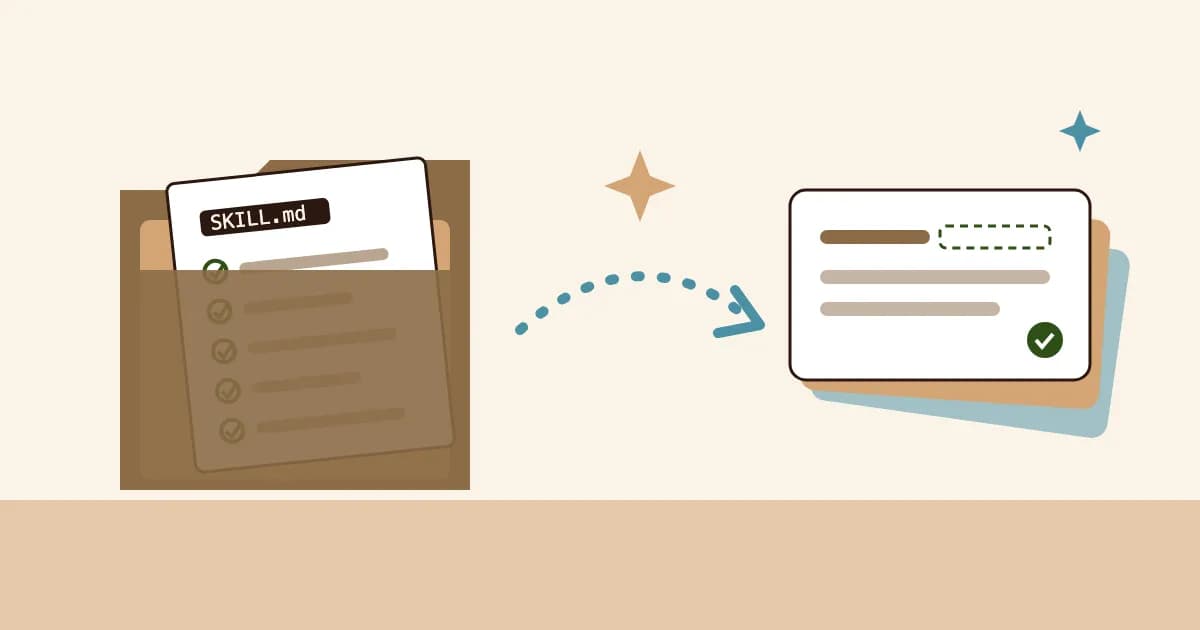
Claude skills for studying fix the most boring part of using Claude as a tutor: typing the same long prompt every single time. You know the one. "Explain it simply, don't just give me the answer, quiz me after, make flashcards, keep them short..." By the third topic you skip half of it, and the session turns back into reading answers.
Here's the uncomfortable truth. The prompt was never the problem. Remembering to use it was. A Skill is a file Claude reads on its own whenever you ask for help studying, so the routine runs every time, including the parts you'd skip at 11pm.
This guide gives you a complete study skill to copy, shows where it goes in Claude Code and the Claude apps, and adds an optional last step that saves each session as notes, cloze flashcards, a quiz and a mind map you'll actually review. If you're new to studying with Claude, start with our guide to using Claude for studying, then come back.
What Are Claude Skills?
A Claude Skill is a folder containing a file named SKILL.md: a short set of instructions, with a name and a description at the top, that Claude loads when a request matches the description. Anthropic launched Skills on October 16, 2025, and its engineering write-up describes them as folders of instructions, scripts and resources.
Three facts matter for students:
- Claude decides when to use it. At startup Claude only sees each skill's name and description, roughly 100 tokens each. The full instructions load when your request matches, so a skill costs almost nothing until you need it.
- You can also call it by name. In Claude Code, typing
/study-sessionruns the skill directly. - It's available widely. Anthropic's help centre lists Skills on every plan, including Free, with code execution switched on.
Skills vs Projects vs MCP
These three get confused constantly, so here's the short version.
| Feature | What it gives Claude | Study example |
|---|---|---|
| Project | Your files and standing instructions for one course | Lecture slides for Biology 101 |
| Skill | A repeatable routine it can apply in any chat | "Explain, quiz, then make cards" |
| MCP connection | A tool that lets it act in another app | Saving cards to your review app |
Anthropic puts it neatly: MCP gives Claude tools, while "skills teach Claude how to use those tools effectively." A study skill and a connection work together. The skill decides what to make; the connection decides where it goes. Our plain-English explainer on MCP for students covers the connection side.
The Science: Why a Fixed Routine Beats a Clever Prompt
Most bad AI study sessions fail the same way. Claude explains, you read, you nod, you move on. It feels like learning, and decades of research say it mostly isn't.
- The testing effect (Roediger & Karpicke, 2006): pulling an answer out of memory strengthens it far more than reading it again.
- The generation effect (Slamecka & Graf, 1978): you remember what you produce better than what you're shown.
- Self-explanation (Chi et al., 1994): students who explained a text to themselves while reading understood it better than students who read it twice.
- Desirable difficulties (Bjork & Bjork, 2011): learning that feels effortful lasts; learning that feels smooth fades.
AI makes the smooth path very easy. A 2025 study in PNAS (Bastani et al.) gave high school maths students access to a GPT-4 tutor. Students who used a plain chat version did better during practice but worse on the later exam than students with no AI at all, while a version built with guardrails, which gave hints instead of answers, largely avoided that drop.
A study skill is your guardrail. It forces the order that research supports: you explain first, Claude checks, you answer from memory, and only then do you get cards to review.
| Session without a skill | Session with a study skill |
|---|---|
| Claude explains, you read | You explain first, Claude finds the gaps |
| Quiz happens if you remember to ask | Quiz happens every time, before any summary |
| Cards stay in the chat | Cards are saved somewhere that brings them back |
| Effort depends on your mood | Effort is built into the routine |
Pattern drawn from Roediger & Karpicke (2006), Chi et al. (1994) and Bastani et al. (2025).
How to Build a Claude Study Skill in 5 Steps
Before any file, write the steps you wish you followed every time. Ours: explain simply, ask me to explain it back, quiz me one question at a time, then make cards for what I got wrong.
Make a folder named study-session with one file inside it called SKILL.md. The folder name and the skill's name should match, in lowercase with hyphens.
The description is how Claude decides to load the skill, so say exactly when to use it: "Use when the user asks to study, revise, learn or be quizzed on a topic."
Short, numbered instructions beat paragraphs. Copy ours below and change what doesn't fit your course.
Put it where your Claude reads skills (next section), then say "help me study osmosis." If Claude explains and immediately summarises without asking you anything, tighten the rules.
The Study Skill (Copy and Paste)
Save this as study-session/SKILL.md. The part between the --- lines is the frontmatter Claude reads at startup; everything below it loads only when you study.
---
name: study-session
description: Use when the user asks to study, revise, learn, understand or be quizzed on a topic or on material they share. Runs an explain, check, quiz, save routine.
---

# Study session

Follow these steps in order. Never skip the quiz.

1. Ask what the topic is for (course, exam, date) and what the
   user already knows, unless they have said.
2. Explain the topic in plain language, as if to a smart
   12-year-old. Use one concrete example. Under 250 words.
3. Ask the user to explain it back in their own words. Point out
   what is missing or wrong. Do not repeat your explanation;
   ask a guiding question instead.
4. Quiz: ask 5 questions ONE AT A TIME and wait for each answer.
   Mix recall ("what is") with application ("what happens if").
   After each answer, say if it was right and why in 2 sentences.
5. List the questions the user got wrong or hesitated on.
6. Write study cards for those weak points first, then the key
   terms: one fact per card. Prefer cloze sentences for terms.
7. If the Notesmakr tools are available, save the session
   (see "Saving"). If not, show the cards as a two-column list.

Rules:
- Use only the user's material when they share some. Flag
  anything that looks wrong instead of guessing.
- Never give the quiz answers before the user tries.

## Saving

Only if the Notesmakr tools are connected:
1. Call get_writing_guide (kind "note"), write the note, call
   create_note. Tell the user this uses 1 note from their plan.
2. Call get_writing_guide (kind "flashcards"), then add_flashcards
   with the note_id. Use cloze cards for key terms.
3. Call get_writing_guide (kind "quiz"), then add_quiz with
   10 questions built from the user's weak points.
4. Optionally add_mind_map for topics with many connected parts.
If the user only wants cards, use create_flashcard_deck instead
of create_note. It does not use a note from their plan.
Why it's written this way. Step 3 comes before the quiz because explaining back is the self-explanation effect at work. Step 4 asks one question at a time because Claude will otherwise print all five with answers underneath, which turns a test back into reading. Step 6 puts weak points first, so your cards target what you actually got wrong.
Smaller skills worth making
Once the main one works, a few narrow skills cover the rest of a term:
| Skill name | Description (when Claude uses it) | What it does |
|---|---|---|
flashcard-writer | Asked for flashcards or Anki cards | Asks exam format and card budget, shows 5 samples first |
exam-quiz | Asked to be tested before an exam | 10 mixed questions, timed, scored at the end |
study-guide | Asked for a study guide or summary sheet | One page: key terms, 3 worked examples, likely questions |
mind-map | Asked to map or connect a topic | Central idea, 4 to 6 branches, one example per branch |
Our guide to making flashcards with Claude has a full card-writing brief you can paste straight into a flashcard-writer skill.
Where Claude Skills Live: Claude Code vs the Claude Apps
Claude Code
Anthropic's Claude Code docs give two locations:
- Personal skills, available in every folder:
~/.claude/skills/study-session/SKILL.md - Project skills, for one course folder:
.claude/skills/study-session/SKILL.md
Claude Code uses a skill when your request matches its description, or when you type /study-session. Older custom commands have been merged into skills, so a command file you already have keeps working. Claude Code needs a paid Claude plan.
The bonus for students: open Claude Code in your course folder and the skill can read your lecture notes directly. "Study week 6 with me, using the files in /week-6" runs the whole routine on your own material.
Claude Desktop and the Claude apps
Anthropic's guide to using Skills says to turn on code execution first, then open Customize, Skills, choose to create a skill, and upload it as a ZIP file with the skill folder at the root. Zip the study-session folder, not just the file inside it.
Description limits
Anthropic's developer docs allow a description of up to 1,024 characters, but the help article on custom skills gives a shorter limit for uploads in the apps. Keep yours under 200 characters and it works everywhere.
Save Every Session: Your Study Skill + Notesmakr
A skill fixes the routine. It doesn't fix the forgetting. Cards that stay in a chat never come back, and spacing is what makes them stick.
Notesmakr is a notes maker and study app that turns material into plain-language notes, flashcards, quizzes and mind maps, then schedules your reviews on your phone. Through an MCP connection, Claude can write straight into it, and the "Saving" section of the skill tells Claude exactly which tools to call.
Set up the connection (once)
- Create a token in the Notesmakr app, under Settings, Connect AI assistants.
- Connect your Claude. In Claude Code it's one command (Claude Code setup guide). In Claude Desktop it's a config entry that needs Node.js installed (Claude Desktop setup guide).
- Study. The skill runs its routine and saves at the end.
What the save step creates
| Tool the skill calls | What appears in Notesmakr | Cost |
|---|---|---|
create_note | A study note on the topic | Uses 1 note from your plan (free plan: 5) |
add_flashcards | Cards attached to that note, front/back or cloze | Free |
add_quiz | A multiple-choice quiz attached to that note | Free |
add_mind_map | A mind map attached to that note | Free |
create_flashcard_deck | A standalone deck, no note | Free |
Claude writes all of the content. Notesmakr runs no AI on this path, so attaching cards, a quiz or a mind map doesn't touch your generation limits. Claude itself may be a paid product.
Why the cloze rule matters. Each cloze card can hide 1 to 3 blanks, listed most important first. An easy deck hides the first blank, medium the first two, hard all of them. In the app, those cards get Diminishing Cues (letter hints that fade as you improve) and the free SM-2 scheduler brings each one back on the right day. Fiechter and Benjamin (2018) found diminishing-cues retrieval practice improves memory, even where plain testing doesn't. Our guide to cloze deletion flashcards explains when cloze beats question-and-answer.
The honest limits:
- Claude Desktop and Claude Code connect. The Claude.ai website and the Claude phone apps can't connect to Notesmakr yet, so a skill running there falls back to showing cards in the chat.
- The token can only add. It can't read, change or delete anything in your library, so the skill can't check what you saved before.
- Notesmakr doesn't publish an official skill. The one above is yours to edit; there's nothing to install from us.
Watch: Skills and the Feynman Routine
This walkthrough shows the SKILL.md format and the upload flow in the Claude app. Watch it once before you write your first skill; the structure is simpler than it sounds.
The explain-it-back step in the skill is the Feynman Technique in disguise. Ali Abdaal shows why explaining in plain words exposes the gaps that reading hides.
The Wrong Way vs the Right Way
Same student, same topic (the action potential), same 30 minutes.
Student: "Explain action potentials."
Claude: A clear, well-structured explanation with a diagram description.
Student: "Makes sense, thanks." Asks for a summary, copies it into a doc.
A week later: can't say why the membrane repolarises, and the summary is buried in a folder.
Student: "Help me study action potentials for my physiology midterm."
Claude (skill): Short explanation, then "Explain it back to me." The student skips repolarisation; Claude asks a guiding question.
Quiz: 5 questions, one at a time. Two missed. Cards written for those first, saved with a quiz.
A week later: the two weak cards come back first, and both get answered from memory.
Common Mistakes With Claude Study Skills
Mistake 1: A vague description. "A helpful study skill" never triggers, because Claude can't tell when it applies. The fix: Name the situations: study, revise, learn, quiz me, explain this topic.
Mistake 2: One giant skill. A skill that also writes essays and plans timetables loads for everything and does nothing well. The fix: One routine per skill. Make flashcard-writer and study-guide separate.
Mistake 3: Letting Claude answer its own quiz. Without "wait for each answer", you get five questions with answers underneath. The fix: Keep the one-at-a-time rule, and test the skill once to confirm Claude waits.
Mistake 4: Trusting every card. A wrong card gets reviewed as carefully as a right one. The fix: Check the cards against your notes the first time you see them.
Mistake 5: Leaving it all in the chat. The routine works; the review never happens. The fix: Save to something with spaced repetition, whether that's Notesmakr through the connection above or Anki through a CSV.
No Claude Setup? Same Routine, Fewer Steps
You don't need a skill or an assistant for this routine. Notesmakr can write the note and cards from your own material: upload a chapter to the PDF to flashcards tool, or test yourself with the AI quiz maker. AI generation is free within the free plan's limits of 5 notes and 40 generations. For the wider picture of AI-made cards, see our complete guide to AI flashcards.
The Research Behind It
- Roediger, H. L. & Karpicke, J. D. (2006): "Test-Enhanced Learning." Psychological Science. Retrieval beats re-reading on delayed tests. Read the paper.
- Slamecka, N. J. & Graf, P. (1978): "The Generation Effect." Journal of Experimental Psychology: Human Learning and Memory. Producing information beats reading it.
- Chi, M. T. H., de Leeuw, N., Chiu, M.-H. & LaVancher, C. (1994): "Eliciting Self-Explanations Improves Understanding." Cognitive Science.
- Bjork, E. L. & Bjork, R. A. (2011): "Making Things Hard on Yourself, But in a Good Way." Desirable difficulties make learning last.
- Bastani, H., Bastani, O., Sungu, A., et al. (2025): "Generative AI Without Guardrails Can Harm Learning: Evidence from High School Mathematics." PNAS.
- Fiechter, J. L. & Benjamin, A. S. (2018): "Diminishing-Cues Retrieval Practice: A Memory-Enhancing Technique That Works When Regular Testing Doesn't." Psychonomic Bulletin & Review. Read the paper.
FAQ
What are Claude skills?
Claude skills are folders containing a SKILL.md file with a name, a description and instructions. Claude reads every skill's name and description at startup and loads the full instructions only when a request matches. They let you save a repeatable routine, such as a study session, so Claude follows it without a long prompt.
Are Claude skills free?
Anthropic's help centre lists Skills on every Claude plan, including Free, as long as code execution is switched on in settings. Claude Code, the other place skills run, needs a paid plan. Saving cards, quizzes and mind maps to Notesmakr through its connection is free; saving a note uses one from your plan.
How do I add a skill to Claude?
In Claude Code, put the folder at ~/.claude/skills/your-skill/SKILL.md for every project, or .claude/skills/ inside one project. In the Claude apps, turn on code execution, open Customize, then Skills, and upload the skill folder as a ZIP file. You can also ask Claude to create the skill for you.
Can a Claude skill make flashcards?
Yes. A skill can tell Claude exactly how to write flashcards: one fact per card, cloze sentences for key terms, weak points first, and samples before the full deck. Through an MCP connection, the same skill can save the cards to a review app such as Notesmakr, from Claude Desktop or Claude Code.
What's the difference between Claude skills and MCP?
A skill is a set of instructions that teaches Claude how to do a task. An MCP connection is a tool that lets Claude act in another app. For studying, the skill decides what to make and in what order, and the connection decides where it goes, such as saving cards to the app you review in.
Start Today
Claude skills for studying come down to one idea: write the routine once, so effort stops being optional.
- Copy the study skill above into
study-session/SKILL.md. - Install it in Claude Code or upload it as a ZIP in the Claude app.
- Test it on one topic and tighten any rule Claude skips.
- Connect Notesmakr if you want sessions saved as notes, cards and a quiz.
- Review for ten minutes a day and let the schedule bring back what you missed.
"The first principle is that you must not fool yourself, and you are the easiest person to fool."
— Richard Feynman