
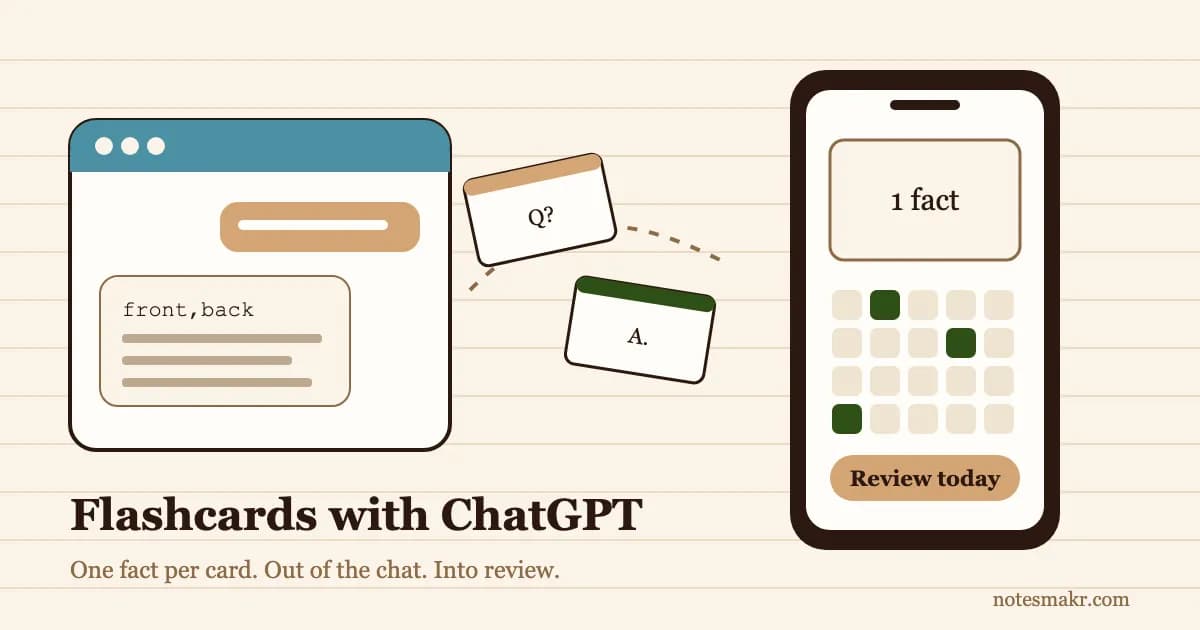
Learning how to make flashcards with ChatGPT takes one prompt. The hard part comes after: ChatGPT writes you forty decent cards, you nod at them, and then they sit in a chat you never open again.
That is the real failure. It isn't bad cards. It's cards that never get reviewed. A flashcard only works when you try to answer it from memory, again and again, on a schedule that brings it back just before you forget. ChatGPT does none of that.
So this guide fixes both halves. You'll get a copy-paste ChatGPT flashcards prompt that follows the one rule that makes cards work (one fact per card), a quality checklist to run before you study a single card, and the step most guides skip: getting the cards out of the chat as a file you can import into Anki, Quizlet or a spaced-repetition app. If you want the bigger picture on studying with the same tool, our guide to using ChatGPT for studying covers explanations, quizzing and planning.
Can ChatGPT Make Flashcards?
Yes. ChatGPT can turn notes, a textbook chapter, a lecture transcript or a pasted PDF into question-and-answer flashcards, and it can format them as a table or a CSV file that flashcard apps import. You can try it on ChatGPT's free plan.
What ChatGPT does well:
- Pulling the key facts out of a long, messy page of notes in seconds
- Writing questions in different shapes: definitions, "why" questions, cloze (fill-in-the-blank) sentences
- Formatting cards so a flashcard app can import them in one go
- Rewriting a bad card when you tell it what's wrong
What ChatGPT can't do:
- Show you a card again in three days, then in a week, then in a month
- Notice which cards you keep getting wrong
- Guarantee every answer is correct (it can be fluently wrong)
- Make you produce an answer instead of just reading it
Why Most ChatGPT Flashcards Don't Stick
Three findings from memory research explain why "make me flashcards" so often produces a deck that doesn't help.
Cards that hold too much get forgotten
Piotr Wozniak, who built the SuperMemo spaced-repetition software, called it the minimum information principle: each card should test one simple fact. A card that asks "Describe the causes of World War One" tests five facts at once, and you'll half-know it forever. ChatGPT's default cards are often like that, with long answers that read well and recall badly.
Reading a card isn't the same as answering it
Roediger and Karpicke (2006) found that students who tested themselves remembered far more a week later than students who spent the same time re-reading. Scrolling through a list of ChatGPT cards with the answers showing is re-reading. The learning happens when you cover the answer and pull it from memory.
Reviews have to be spread out
Cepeda and colleagues (2006) reviewed hundreds of experiments and found that spacing study sessions apart beats cramming the same amount of study into one block. A deck needs to come back to you over days and weeks. That needs a scheduler, and a chat history isn't one.
The prompt matters less than two rules: one fact per card, and get the cards out of the chat into something that schedules your reviews.
How to Make Flashcards With ChatGPT in 5 Steps
Paste your own notes, a chapter or a lecture transcript. "Make flashcards on photosynthesis" gets you generic cards from ChatGPT's memory. "Make flashcards from these notes" gets you cards that match what your teacher actually covered.
Tell it the card count, one fact per card, short answers and the output format. The full prompt is in the next section.
Run the checklist below. Delete vague cards, split overloaded ones and fix anything that doesn't match your notes. This takes five minutes and saves you from memorising a mistake.
Ask for a CSV and save it. If ChatGPT gives you a download link, use it. If it shows the cards in a code block, copy the block into a plain-text editor and save it with a .csv ending.
Import the file into a spaced-repetition app and do a short review session every day. This is the step that turns a deck into memory.
The ChatGPT Flashcards Prompt (Copy and Paste)
This prompt bakes in the minimum information principle and asks for a file a flashcard app can read. Replace the bracketed parts.
You are making flashcards from my notes, which are below. Rules:
- Make [20] cards. Each card tests ONE fact. If an idea has several parts, make several cards.
- The front is a specific question. The back is the shortest complete answer, ideally under 15 words.
- Use only information in my notes. If something seems wrong or missing, list it separately at the end instead of guessing.
- Mix card types: definitions, "why" or "how" questions, and a few fill-in-the-blank sentences.
- No "list all the…" cards and no yes/no questions.
- Output a CSV with the header row
front,back. Wrap every field in double quotes. Put nothing else inside the CSV.My notes: [paste notes]
Why each rule is there:
- Rule 1 stops the five-facts-in-one card.
- Rule 2 keeps answers short enough to recall in a few seconds.
- Rule 3 stops ChatGPT filling gaps with things your course doesn't teach (and flags errors in your notes).
- Rule 6 makes the file importable. The double quotes matter: a comma inside an answer would otherwise split the card in two.
Variations worth saving
- Cloze cards: "Turn each key sentence into a fill-in-the-blank card with one blank. Put the full sentence with the blank on the front and the missing word on the back." Our guide to cloze deletion flashcards explains when this format beats question-and-answer.
- Vocabulary: "Front: the term. Back: a one-sentence definition plus one example sentence."
- From a PDF: upload the file and say "Make cards from pages 12 to 18 only." Narrow ranges give better cards than a whole book.
The Card-Quality Checklist
Run every ChatGPT card through these six questions. Fix or delete anything that fails.
| Check | Fails if… | Fix |
|---|---|---|
| One fact? | The answer has "and" joining two separate ideas | Split it into two cards |
| Specific question? | You could give two different correct answers | Add context to the question |
| Short answer? | The answer takes more than one breath to say | Cut it down or split it |
| Matches your course? | It uses terms or methods your teacher doesn't | Rewrite it in your course's terms |
| Correct? | You haven't checked it against a source | Check it, or delete it |
| Worth knowing? | It's trivia your exam won't ask | Delete it |
A good test: read only the front. If you can't tell exactly what answer it wants, the card is too vague.
ChatGPT to Anki: How to Import the Cards
Anki is the most common place people take ChatGPT cards, and the route is simple because Anki imports plain text files.
- Save the CSV from the prompt above.
- Delete the
front,backheader line for Anki, or it will become a card of its own. - In Anki on desktop, go to File, Import and choose the file.
- Check the preview. Anki tries to detect the separator; if the columns look wrong, set Field separator to Comma. The Anki manual's guide to importing text files also lets you force it with a
#separator:Commaline at the top of the file. - Map column 1 to Front and column 2 to Back, pick a deck and import.
Can ChatGPT make an Anki .apkg file? Not reliably. A plain CSV is the dependable route, and it's the one Anki's own manual documents. New to Anki itself? Our Anki vs Notesmakr comparison covers where each one fits.
Quizlet works the same way
Quizlet's set creator has an Import option that takes pasted text. Ask ChatGPT for the cards with a tab between the term and the definition and one card per line, paste them in, and set the separator to Tab. Check the preview before you create the set.
Watch: Using ChatGPT and Flashcards Well
Learning coach Justin Sung's warning applies straight to flashcards: if ChatGPT does all the processing, you skip the part that builds memory. Reading and fixing the cards yourself is part of the learning, not a chore before it.
Ali Abdaal walks through how to study for exams with Anki. Everything he says about reviewing daily and keeping cards simple applies to cards ChatGPT writes.
The Wrong Way vs the Right Way
Same student, same biology chapter, same 30 minutes.
Student: "Make flashcards on the heart."
ChatGPT: 25 cards, some with paragraph-long answers, a few on things the course never covered.
Student: reads through them twice, feels prepared, closes the tab.
A week later: the chat is buried under twenty others. Most of the cards were never answered from memory even once.
Student: pastes their own notes with the prompt above and asks for 20 one-fact cards as a CSV.
Student: spends five minutes deleting three vague cards and fixing one wrong answer.
Student: imports the file into a spaced-repetition app and reviews for ten minutes.
A week later: the app has brought back the cards they struggled with, and they answer most of them without looking.
Quick Reference: ChatGPT Flashcard Prompts by Goal
| Your goal | Prompt starter |
|---|---|
| Cards from your notes | "Make [20] one-fact cards from my notes below as a CSV with header front,back." |
| Cloze cards | "Turn each key sentence into a fill-in-the-blank card with one blank." |
| Vocabulary | "Front: term. Back: one-sentence definition plus one example." |
| Fix a weak deck | "Here are my cards. Split any card that tests more than one fact." |
| Find gaps | "Compare these cards with my syllabus and list topics with no card." |
| Exam focus | "Only make cards on facts that past paper questions like these test." |
Common Mistakes When Making Flashcards With ChatGPT
Mistake 1: Asking for cards on a topic instead of your material. You get cards on what ChatGPT thinks matters, not what your exam tests. The fix: Always paste your notes or upload the chapter.
Mistake 2: Accepting long answers. A paragraph on the back of a card is a page of notes in disguise. The fix: Hold the rule of one fact per card. Split anything with "and" in the answer.
Mistake 3: Skipping the fact check. A wrong card is studied as carefully as a right one. The fix: Check every card against a source before your first review.
Mistake 4: Making 300 cards at once. A huge deck means a huge daily review pile, and most people quit within a week. The fix: Make 15 to 30 cards per topic, as you study that topic.
Mistake 5: Leaving the cards in the chat. This is the big one. Cards you never review do nothing. The fix: Export a file the same day and import it into an app that schedules reviews with spaced repetition. A paper box works too: the Leitner system is spaced repetition with index cards.
Get the Cards Out of the Chat: ChatGPT + Notesmakr
Notesmakr is an AI notes maker and flashcard app that turns notes into flashcards, quizzes and mind maps and schedules your reviews with spaced repetition. The free route for ChatGPT cards works today:
- Import the CSV. In the Flashcards tab, choose Import Flashcards, then CSV / Text File, and pick the file from the prompt above. Notesmakr reads comma-separated files, recognises the
front,backheader row by itself (no need to delete it) and names the deck after the file. Importing is free. - Review on a schedule. Cards come back on the right day with the free SM-2 spaced-repetition scheduler, so the deck doesn't die in a chat history.
- Keep an Anki copy if you want one. Every deck can be exported as an Anki-compatible text file, also free, so you're never locked in. Already have Anki decks? Notesmakr imports
.apkgfiles too.
Skipping the file step. Some AI assistants can save cards straight into Notesmakr through an MCP connection: Claude Code, Cursor and Claude Desktop connect today with a personal token from Settings, Connect AI assistants. Standalone flashcard decks saved that way are free. ChatGPT can't connect to Notesmakr yet, so with ChatGPT the CSV import above is the way. Setup guides for each assistant are on the Notesmakr MCP page, and our guide on how to make flashcards with Claude walks through that direct-save route.
No ChatGPT at all? Notesmakr can write the cards for you from a PDF: try the PDF to flashcards tool, or test yourself with the AI quiz maker. AI generation is free within the free plan's limits of 5 notes and 40 generations. For a broader look at AI card tools, see our complete guide to AI flashcards.
The Research Behind It
- Wozniak, P. A. (1999): "Effective Learning: Twenty Rules of Formulating Knowledge." SuperMemo. Source of the minimum information principle: one simple fact per card.
- Roediger, H. L. & Karpicke, J. D. (2006): "Test-Enhanced Learning: Taking Memory Tests Improves Long-Term Retention." Psychological Science. Self-testing beats re-reading on delayed tests. Read the paper.
- Cepeda, N. J., Pashler, H., Vul, E., Wixted, J. T. & Rohrer, D. (2006): "Distributed Practice in Verbal Recall Tasks: A Review and Quantitative Synthesis." Psychological Bulletin. Spaced study beats massed study.
- Dunlosky, J., Rawson, K. A., Marsh, E. J., Nathan, M. J. & Willingham, D. T. (2013): "Improving Students' Learning With Effective Learning Techniques." Psychological Science in the Public Interest. Practice testing and distributed practice rated the two highest-utility techniques. Read the review.
- Slamecka, N. J. & Graf, P. (1978): "The Generation Effect." Journal of Experimental Psychology: Human Learning and Memory. Producing information yourself beats reading it, which is why editing ChatGPT's cards helps you learn them.
FAQ
Can ChatGPT make flashcards?
Yes. ChatGPT can turn pasted notes, an uploaded PDF or a lecture transcript into question-and-answer or fill-in-the-blank flashcards in seconds. Ask for one fact per card and a CSV with a front,back header, then check every card for accuracy and import the file into a flashcard app that schedules your reviews.
What is the best ChatGPT prompt for flashcards?
A good flashcard prompt sets rules: a card count, one fact per card, short answers, only information from your notes, and a CSV output with a front,back header and every field in double quotes. Paste your notes after the rules. Specific rules matter more than clever wording, because they stop long, vague cards.
How do I make Anki flashcards with ChatGPT?
Ask ChatGPT for your cards as a two-column CSV, save it as a .csv file and delete the header line. In Anki desktop, choose File, Import, select the file, set the field separator to Comma if needed, map column 1 to Front and column 2 to Back, and import into a deck.
Can ChatGPT make Quizlet flashcards?
Yes, through Quizlet's import box. Ask ChatGPT for one card per line with a tab between the term and the definition. In Quizlet's set creator, choose Import, paste the text, set the separator to Tab and check the preview. Review the cards for accuracy first, since Quizlet will import mistakes as readily as correct answers.
Are ChatGPT flashcards accurate?
Usually, but not always. ChatGPT can state wrong numbers, dates, formulas or definitions confidently, and it may add material your course doesn't cover. Generating cards from your own notes, telling it to flag anything uncertain and checking each card against your textbook before studying keeps the deck accurate.
Start Today
Making flashcards with ChatGPT comes down to two rules: one fact per card, and get the cards out of the chat.
- Paste your notes for one topic into ChatGPT.
- Use the prompt above and ask for 15 to 20 cards as a CSV.
- Run the checklist. Delete, split and fix.
- Save the file and import it into Anki, Quizlet or Notesmakr.
- Review for ten minutes a day and let the scheduler bring cards back.