
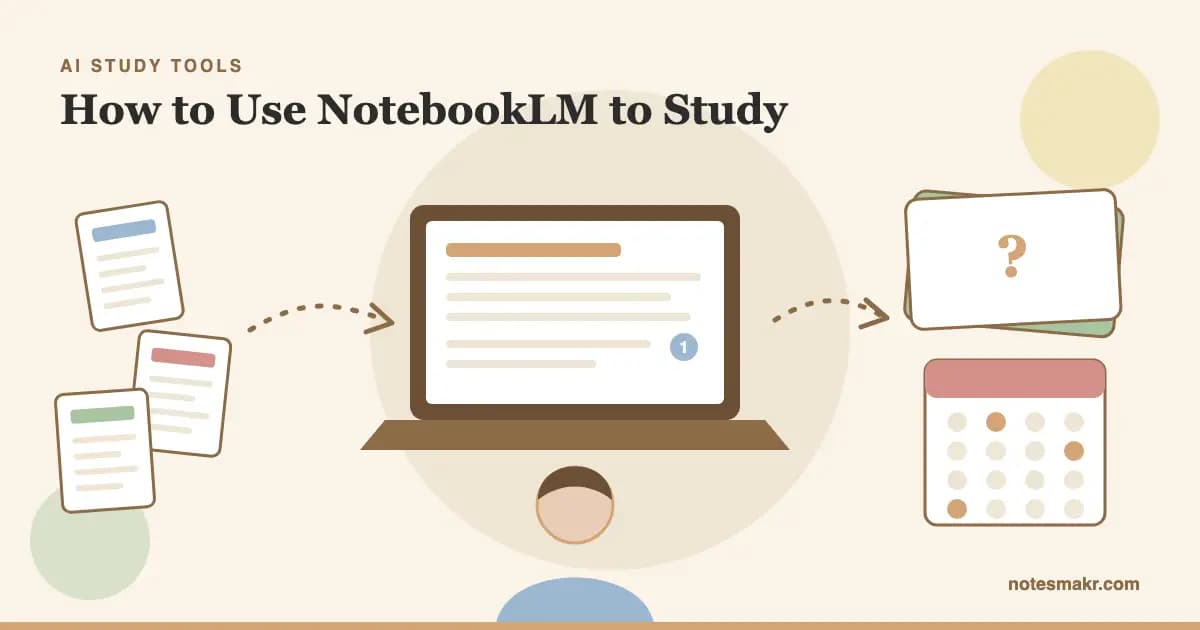
Knowing how to use NotebookLM to study is mostly knowing when to stop listening to it. You can upload a whole semester, press play on an Audio Overview, nod along for twenty minutes and feel ready. Then the exam asks you to produce one mechanism from memory, and you've got nothing.
The tool didn't fail. You used a tool for understanding as if it were a tool for remembering.
This guide gives you a workflow for both halves: how to build a notebook worth studying from, which prompts force real thinking, how to use the built-in quizzes and flashcards, and what to do with your cards after the session ends. There's a section for nursing students too, because that's where a wrong answer costs the most.
What Is NotebookLM?
NotebookLM is Google's source-grounded AI research assistant, now called Gemini Notebook. You add your own material, and it answers questions and builds study aids from those sources, with citations that point back to the passages it used.
That's the difference from a general chatbot. If you ask ChatGPT about your course, it answers from everything it has absorbed. If you ask NotebookLM, it works from the slides, chapters and notes you gave it. (For the chatbot route, see how to use ChatGPT for studying and how to use Claude for studying.)
According to Google's help pages, a notebook can draw on these sources:
- PDFs, Word files, Markdown, text, ePub and PowerPoint files
- Google Docs, Slides and Sheets
- Web URLs and pasted text
- Audio files
- Public YouTube videos with captions
The limits, as Google lists them today, are 100 notebooks and 50 sources per notebook on the free plan, with each source capped at 500,000 words or 200MB. Chats and generated outputs now run on compute-based limits that refresh every five hours until you hit a weekly cap. Google says limits may change, so don't plan a finals week around an exact number.
The Science: Why Understanding Isn't Enough
Reading an AI's explanation feels like learning. Psychologists have a name for that trap: the illusion of competence. Koriat and Bjork (2005) showed that learners misjudge what they'll remember later, partly because the answer is sitting in front of them while they judge.
Now look at what the evidence says works.
| Study activity in NotebookLM | What your brain does | Evidence for exams |
|---|---|---|
| Listening to an Audio Overview | Follows along | Low when used alone |
| Reading a generated study guide | Recognizes ideas | Low when used alone |
| Asking chat to explain a concept | Builds understanding | Useful first step |
| Taking a quiz with sources closed | Retrieves from memory | High |
| Flashcards reviewed over spaced days | Retrieves, then re-retrieves later | High |
Ratings are our summary of Dunlosky et al. (2013), Roediger and Karpicke (2006) and Cepeda et al. (2006).
In a major review of ten study techniques, Dunlosky and colleagues (2013) rated practice testing and distributed practice as the two highest-utility methods. Rereading and highlighting rated low. And in Roediger and Karpicke (2006), students who tested themselves on a passage remembered more a week later than students who restudied it, even though the restudiers felt more confident.
Feeling fluent is not the same as being ready. NotebookLM makes hard material feel clear. Your job is to check whether it stays clear when the screen is off.
How to Use NotebookLM to Study, Step by Step
Here's the full workflow. It works for a single chapter or a whole course.
Don't dump the whole semester into one place. Create a notebook for each exam or unit, so answers stay on topic. Name it after the assessment: "Bio 201 Midterm 2."
Start with lecture slides, the assigned chapters, your own notes and the study guide from your instructor. Past papers are especially useful. Leave out the random blog you found at midnight, because every source shapes the answers.
Use chat to map the unit before you try to learn it. Ask what the main ideas are, how they connect, and which ones your instructor spends the most time on. A Mind Map in the Studio panel helps here.
Ask about anything that doesn't click. Then open the citation and read the original passage. If the citation doesn't support the claim, trust your source, not the summary.
Generate a quiz from the Studio panel. Answer before you look at anything. Then ask chat why you missed the ones you missed.
Generate flashcards, keep the good ones, and review them over days and weeks. A single session doesn't do this job. Scheduling does.
NotebookLM Prompts for Studying
Generic prompts get generic summaries. These are written to make you do the thinking. Paste them into chat and swap in your topic.
To see what matters:
- "Based on these sources, list the 10 concepts most likely to be examined. For each one, say which source spends the most time on it."
- "What does this unit assume I already know? List prerequisites I should check first."
To understand a hard idea:
- "Explain [concept] in plain language, then give one example from the sources. Don't use any term you haven't defined."
- "What's the difference between [A] and [B]? Give me a table, and cite each row."
To make it harder:
- "Ask me one question at a time on [topic]. Don't give the answer until I've tried. After each answer, tell me exactly what was missing."
- "Here's my explanation of [concept]: [your words]. Using only the sources, point out what's wrong or missing."
That last prompt is the Feynman Technique with a fact-checker attached. It's the most useful one on this list.
To prepare for the exam itself:
- "Using the style of the past paper in these sources, write five new questions on [topic], without answers."
- "Which of these concepts do students commonly confuse? Quiz me on those pairs."
NotebookLM Flashcards and Quizzes
Both live in the Studio panel. Select Flashcards or Quizzes to generate straight away, or use the pencil icon to customize first. Google's help page lists these options:
- Number: fewer, standard or more
- Difficulty: easy, medium or hard
- Prompt: an outline, or direction on audience, style and focus
Use the prompt box. "Focus only on Chapter 7. Test mechanisms, not vocabulary" gives you a far better set than the default.
While you study, you can mark cards "Got it!" or "Missed it!", and Google says your progress is remembered. You can also practice only the cards you missed. That's a good tool for one sitting. What Google's flashcard documentation doesn't describe is a schedule: nothing about intervals, or about which cards are due on which day.
NotebookLM flashcards export
Yes, there's an official export. Google's help page says you can download your flashcards as a CSV file. One exception: downloads may be blocked for a notebook that uses a Play Books ebook as a source, depending on publisher restrictions. The same page doesn't list a download option for quizzes.
NotebookLM flashcards to Anki
The CSV gives you a clean route without an extension:
- Download the CSV from the flashcard viewer.
- Open it in a spreadsheet and check the columns. Keep the front and back, and delete anything else.
- In Anki, choose Import File, select the CSV, and map the columns to Front and Back.
- Review the deck on Anki's schedule.
Chrome extensions also claim to do this. You don't need one for a basic deck, and it's one less tool reading your notes.
How to Use NotebookLM for Nursing School
Nursing exams rarely ask what a drug is. They ask what you'd do first. That changes how you should use the tool.
- Add your own course material. Use your program's lecture slides, skills checklists and assigned readings, so answers match what your faculty teaches.
- Ask for prioritization. Try: "Using these sources, write an NCLEX-style question on heart failure that asks which patient to see first. Explain why each wrong option is wrong."
- Compare look-alike conditions. Ask for a cited table of signs, labs and first actions for pairs like DKA and HHS.
- Verify every number. Doses, lab ranges and drug interactions must be checked against your textbook or your program's approved reference.
- Check your school's AI policy. Never upload patient information from clinicals.
For the full approach to the program, see our guide on how to study in nursing school.
A Practical Example: One Chapter, Two Ways
Same student. Same cardiac physiology chapter. Three days before the exam.
Upload the chapter. Generate an Audio Overview. Listen twice. Read the study guide.
It takes 90 minutes and feels great. Asked to trace blood flow from memory, the student gets lost at the valves. Nothing in the session ever asked them to produce an answer.
Map the chapter in chat. Explain the cardiac cycle in your own words and ask for corrections. Take a hard quiz. Export 20 cards for the concepts you missed.
It takes about the same 90 minutes and feels harder. Those 20 cards come back over the next few days, and the student practices the exact thing the exam will ask for.
Watch: NotebookLM in Action
Older videos use the old name and may show an earlier layout, but the core workflow carries over.
How to Use Google NotebookLM (Full Tutorial), Kevin Stratvert
A good starting point if you've never opened the tool. Key insight: learn the three areas (sources, chat, Studio) before you worry about clever prompts.
How to Study Anything with NotebookLM (Full System), James Blue
A student-focused look at turning the tool into a repeatable routine. Key insight: a system you repeat beats a one-time burst of AI summaries.
Quick Reference: Which Feature for Which Job?
| You want to... | Use this |
|---|---|
| Get oriented in a new unit | Chat and Mind Maps |
| Review on a commute | Audio Overview, then write down what you recall |
| Understand one hard concept | Chat, then read the cited passage |
| Check what you actually know | Quiz, with notes closed |
| Practice missed cards today | Flashcards, "only cards you missed" |
| Remember it next month | Export the cards to a spaced-repetition app |
If your source is a long chapter, our guide to summarizing a textbook chapter with AI shows how to keep the summary from replacing the reading.
Common Mistakes (And How to Avoid Them)
Mistake 1: Treating Audio Overviews as study time
Listening is pleasant, and it's passive. The fix: After each one, close the app and spend two minutes writing what you remember.
Mistake 2: Uploading everything
A notebook stuffed with loosely related sources gives loosely related answers. The fix: Keep one notebook per exam, with only assigned material.
Mistake 3: Accepting the default flashcards
Default cards can lean toward simple definitions, or test things your exam ignores. The fix: Use the prompt box, then delete weak cards before you start. Google lets you remove individual cards.
Mistake 4: Never checking citations
The citation is the whole reason to use this tool over a chatbot. The fix: Open the source on anything that's going onto a card.
Mistake 5: Studying in one long session
Massed practice feels efficient. Across hundreds of experiments reviewed by Cepeda et al. (2006), spreading practice out produced better long-term recall. The fix: Split review across days, and let a scheduler pick the days.
How Notesmakr Fits In
NotebookLM is strong at answering from your sources. Long-term review is where a scheduler matters. To be clear, the two apps don't connect: there's no sync between them. The bridge is the CSV file you download.
Notesmakr is a notes maker and mobile study app for iPhone, iPad and Android. Here's the route from one to the other:
- Check that your CSV is just two columns, front then back, and delete any other header row.
- In Notesmakr, go to Flashcards → Import Flashcards → CSV / Text File.
- Review on your phone. SM-2 spaced repetition assigns each card its own next review date.
CSV import, manual cards and SM-2 scheduling are all free. For facts that need exact wording, turn key cards into cloze cards: Diminishing Cues give you progressive letter hints as you learn, so you can retrieve a term before you've fully mastered it.
If you'd rather start from your PDF directly, you can turn a PDF into flashcards or make a practice quiz in Notesmakr, free within the free plan's limits (5 notes and 40 generations, lifetime). Our AI flashcards guide covers what makes a generated card worth keeping, the spaced repetition guide explains the schedule, and our Notesmakr vs NotebookLM comparison lays out where each one wins. For the wider field, see our AI study tools guide.
The Research Behind It
- Testing effect (Roediger & Karpicke, 2006): Retrieving information produced better delayed retention than restudying it.
- Learning technique review (Dunlosky et al., 2013): Practice testing and distributed practice earned the highest utility ratings of ten techniques.
- Distributed practice (Cepeda et al., 2006): A quantitative synthesis found spaced practice improved verbal recall over massed practice.
- Illusions of competence (Koriat & Bjork, 2005): Learners can overestimate future recall when judging their memory while the answer is present.
- Diminishing cues (Fiechter & Benjamin, 2017): Retrieval practice with progressively reduced cues enhanced memory.
Frequently Asked Questions
Is NotebookLM good for studying?
Yes, especially for understanding difficult material. NotebookLM answers from sources you upload, cites the passages it used, and generates quizzes, flashcards and study guides. Its weaker area is long-term retention, because Google's flashcard documentation describes progress tracking but no spaced-repetition schedule. Pair it with self-testing and spaced review before an exam.
Is NotebookLM now Gemini Notebook?
Yes. Google renamed NotebookLM to Gemini Notebook on July 16, 2026, and described it as the same standalone product. Google says existing links keep working through redirects. Many students and tutorials still use the old name, so you'll see both while searching for guides, prompts and help with the tool.
Can you export NotebookLM flashcards?
Yes. Google's help page says you can download flashcards as a CSV file from the flashcard controls. You can then import that file into a spreadsheet or a flashcard app such as Anki. Downloads may be restricted for notebooks that use a Play Books ebook as a source, depending on the publisher's content rules.
Does NotebookLM have spaced repetition?
Google's help documentation doesn't describe spaced repetition for NotebookLM flashcards. You can mark cards "Got it!" or "Missed it!", your progress is saved, and you can practice only missed cards. To schedule each card across days and weeks, export the CSV and import it into a spaced-repetition app such as Anki or Notesmakr.
Is NotebookLM free for students?
NotebookLM has a free plan with 100 notebooks and 50 sources per notebook, using compute-based limits that refresh every five hours until a weekly cap. Google also announced one free year of Google AI Pro for US college students, redeemable until December 31, 2026. Check Google's current terms before relying on either.
Start Today
- Create one notebook for your next exam and add only assigned material.
- Run the "what's most likely to be examined" prompt, then pick your three weakest topics.
- Explain one topic in your own words and ask for corrections from the sources.
- Take a hard quiz with your notes closed.
- Download your flashcards as a CSV and delete the weak ones.
- Import them into a scheduler and do your first review tomorrow.
Understanding gets you into the exam room. Retrieval gets the answer onto the page.
"The first principle is that you must not fool yourself, and you are the easiest person to fool."
— Richard Feynman, 1974 Caltech commencement address
Research and Citations
- Cepeda, N. J., Pashler, H., Vul, E., Wixted, J. T. & Rohrer, D. (2006): "Distributed practice in verbal recall tasks: A review and quantitative synthesis." Psychological Bulletin, 132(3), 354-380.
- Dunlosky, J., Rawson, K. A., Marsh, E. J., Nathan, M. J. & Willingham, D. T. (2013): "Improving Students' Learning With Effective Learning Techniques." Psychological Science in the Public Interest, 14(1), 4-58.
- Fiechter, J. L. & Benjamin, A. S. (2017): "Diminishing-cues retrieval practice: A memory-enhancing technique that works when regular testing doesn't." Psychonomic Bulletin & Review, 25, 1868-1876.
- Koriat, A. & Bjork, R. A. (2005): "Illusions of competence in monitoring one's knowledge during study." Journal of Experimental Psychology: Learning, Memory, and Cognition, 31(2), 187-194.
- Roediger, H. L. & Karpicke, J. D. (2006): "Test-Enhanced Learning: Taking Memory Tests Improves Long-Term Retention." Psychological Science, 17(3), 249-255.
- Google (2026): "NotebookLM is now Gemini Notebook" and "Sharpen your study routine with new Gemini Notebook tools." The Keyword blog.
- Google (2026): Gemini Notebook Help: "Generate Flashcards or Quizzes," "Learn about plans," "Manage your usage limits," "Add or discover new sources."