

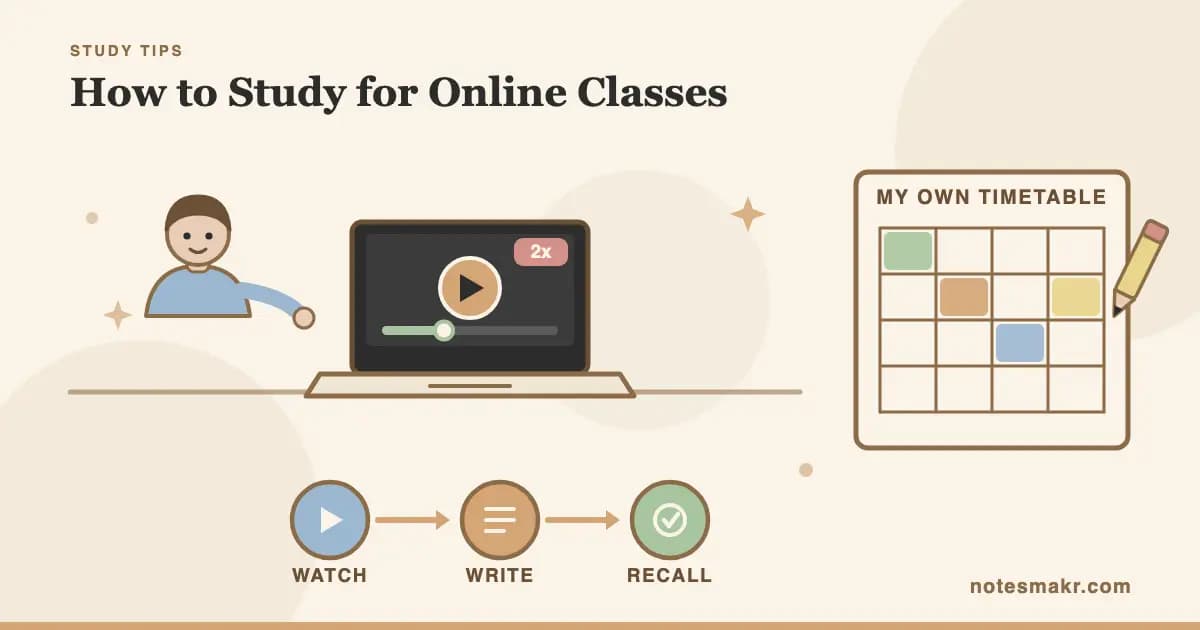
Here is the uncomfortable truth about how to study for online classes: the material did not get harder. The scaffolding got removed, and nobody told you it was load-bearing.
In an in-person course, a timetable decided when you met each week's content. You did not pick Tuesday at 11am. The registrar did. That one fact spaced your exposure, forced a first pass within days of the topic being taught, and made "I'll get to it later" impossible.
Delete the timetable and 100% of that scheduling load lands on you. Every article about online learning tells you to find a quiet space, make a schedule, and email your professor. None mention that you have just been handed a job an institution used to do for you, with no training and no deadline until the exam.
This post is about that job, and about a recorded-lecture workflow with real timings.
A timetable is not an inconvenience. It is a forcing function: an external structure that makes the right behaviour happen without you deciding to do it. Online courses delete it and rarely replace it.
Why online classes are harder than the syllabus suggests
Studying for an online class means replacing the structure a timetable used to provide, then converting passive video into active retrieval. That is the whole job.
The difficulty is measurable. Bettinger, Fox, Loeb and Taylor (2017), in the American Economic Review, used data from a large university where the same courses ran in person and online with identical content and identical grading rubrics. In-person students averaged around a B minus. Online students averaged around a C, and grades stayed lower in the courses they took afterwards.
Do not read that as "online courses are worse and you are doomed." Read it as a warning about defaults. Left alone, most people study an asynchronous course badly.
Your old timetable did three things you now have to do manually: it spaced your exposure, it forced a first pass while the material was fresh, and it made attendance a public commitment. Any online study system that fails to replace all three will drift.
What happens when the forcing function disappears
We have unusually good data here, because lecture capture systems log every click.
Hillsley (2025), in FEBS Open Bio, matched 982 exam observations from 299 biology students to their lecture capture viewing. Two findings are worth memorising.
First, when people watch. 54.5% of all views happened on the day of the exam or the day before. Only 2.9% happened within 24 hours of the lecture being delivered. The recordings existed all semester. Almost nobody touched them until the exam appeared on the horizon. That is not laziness. That is what happens when the only deadline in a ten-week course is in week ten.
Second, and this is the part that matters: the study separated habitual viewing from cramming viewing, and they pointed in opposite directions.
| Viewing pattern | Association with exam score |
|---|---|
| Each extra hour of habitual viewing (your steady weekly average) | +2.5 percentage points |
| Each extra hour above your own average, spiked near the exam | -0.8 percentage points |
| Viewers overall (n = 216) vs non-viewers (n = 83) | 66.1% vs 59.4% |
Figures from Hillsley (2025), FEBS Open Bio 15(12). Associations from a within/between-student model, not a controlled experiment.
The same activity, measured in the same hours, helps when spread and hurts when stacked. Hours are not the variable. Distribution is the variable. And distribution is exactly what your timetable used to control.
Try this now: Open your course platform and look at the progress column for every recorded lecture. Count how many you opened within seven days of release. If it is under half, you have not found a study problem. You have found a scheduling problem, and it is the one to fix first.
Is watching lectures at 2x speed actually bad?
Probably not in the way you have been told, and this is where most online learning tips for students go wrong.
Murphy, Hoover, Agadzhanyan, Kuehn and Castel (2022), in Applied Cognitive Psychology, had students watch lectures at 1x, 1.5x, 2x and 2.5x, then tested them immediately and a week later. Costs from 1x up to 2x were small. Performance dropped off beyond 2x. Tharumalingam, Roberts, Fawcett and Risko (2025), a meta-analysis in Educational Psychology Review pooling 110 effect sizes from 24 studies, agrees: faster playback carries a cost, but it is small and often statistically non-significant at 1.5x and below.
So speed is a modest lever, and 1.25x to 1.5x is close to free. The speed is not what is failing you.
What is failing you is that watching a lecture, at any speed, is recognition. Exams ask for recall. The gap feels like nothing while you watch, which is the trap.
Deslauriers, McCarty, Miller, Callaghan and Kestin (2019), in PNAS, ran the cleanest demonstration. In randomised physics classes with identical material, students in the active-learning condition learned more but felt like they had learned less. Smooth, effortless input feels like understanding. It is not correlated with it.
A recorded lecture is the most fluent input ever invented. It never stalls, never asks you a question, and you can rewind the hard part until it sounds obvious. Sounding obvious is not the same as being retrievable in nine weeks.
If your session ends and the only evidence it happened is a progress bar at 100%, you did not study. You watched. The two feel almost identical and produce completely different exam scores.
How to study for online classes: the recorded-lecture workflow
Here is the part nobody else gives you: a concrete loop with a clock attached. One 50-minute lecture turned into something you can be tested on, in about 45 minutes of work.
The rule underneath all five steps: you never take notes while the video is playing. Transcribing while watching feels productive and is close to useless, because it is copying, not generating.
Cut the lecture into chunks of 10 to 12 minutes and write the timestamps down. A 50-minute lecture is four or five segments. You are rebuilding the natural pauses a live class had and a video does not.
No notes. No pausing to type. Your only job is to follow the argument. If you lose the thread completely, note the timestamp and keep going.
Blank page, video hidden, timer on. Write everything you can recall: the claim, the mechanism, the example, the terms. It will feel bad. That feeling is the difference between recognition and recall arriving to introduce itself.
Jump only to what you could not produce. Not a rewatch, a targeted repair. Whatever you had to look up is, by definition, the material you do not know, and now you have a list of it.
Convert each gap into a question whose answer you must generate, not recognise. "What are the three stages of X?" beats highlighting the slide that lists them. The notes are scaffolding. The questions are the product.
| Stage | Time per 10-minute segment | What you produce |
|---|---|---|
| Watch at 1.25x to 1.5x | ~8 min | Nothing. That is intentional. |
| Write from memory | 3 min | A rough, gappy summary |
| Targeted scrub-back | 2 min | A list of what you did not know |
| Per segment total | ~13 min | |
| Question conversion (once, at the end) | 5 min | 6 to 10 retrieval questions |
| 50-minute lecture total | ~45 min | Notes plus a testable question set |
| Retrieval pass, 24 to 48 hours later | 10 min | The pass that makes the first 45 minutes stick |
That costs less clock time than watching a 50-minute lecture twice, which is what most people do the night before an exam. For the underlying reasoning on capturing spoken material, the full method for taking notes from a lecture covers formats, and active recall is the retrieval habit that step 3 applies.
Before and after: one 50-minute recorded lecture
Same lecture, same student. The difference is when it happened and what it produced.
Building an asynchronous class study schedule
Your calendar has to do the job the registrar used to do. That means putting the work in it as an appointment, not a hope.
Broadbent and Poon (2015), reviewing self-regulated learning in online higher education for The Internet and Higher Education, found four strategies consistently associated with achievement online: time management, metacognition, effort regulation and critical thinking. Rehearsal, elaboration and organisation had the weakest support. What predicted online success was mostly managing yourself, not processing information.
Rule 1: give every lecture a release-week appointment. Not "this week sometime." A named 45-minute block within seven days of release, with the same calendar status as a live class. This is the single change that moves you from the -0.8 column to the +2.5 column.
Rule 2: book the retrieval pass when you book the watch block. Ten minutes, 24 to 48 hours later. Both or neither. A workflow with no second pass produces notes you never open again.
Rule 3: protect three fixed anchors, not seven flexible ones. Fully flexible schedules collapse because every session is negotiable. For the mechanics, time blocking is the scheduling method that fits this best, and there is a fuller treatment of how to build a study routine that survives a bad week.
| Course type | Minimum weekly structure |
|---|---|
| Fully asynchronous, no live sessions | 3 fixed blocks: two watch-and-retrieve, one consolidation |
| Recorded lectures plus a weekly live seminar | Watch block within 48 hours of release, before the seminar |
| Self-paced with a fixed end date | Work backwards from the end date, set weekly deadlines, tell someone |
| Online course alongside in-person ones | Attach the online block to an existing in-person day |
| Discussion-heavy course | One block for content, one for posting. Do not merge them. |
Watch: note-taking and retrieval in practice
Taking Notes, CrashCourse Study Skills
Thomas Frank on why note-taking is a thinking task, not a transcription task
The argument transfers directly to recorded lectures: notes are for processing, not capture. Key insight: if your notes could have been produced by a transcription tool, they did not require you to think.
The Active Recall Framework, Ali Abdaal
How a medical student built a study system around retrieval rather than review
Abdaal walks through turning course content into questions rather than summaries. Key insight: the useful output of a study session is a question you cannot yet answer, which is what step 5 above produces.
How to stay motivated in online classes
Motivation is not really the problem. Isolation and invisibility are, and they show up as procrastination.
Michinov, Brunot, Le Bohec, Juhel and Delaval (2011), in Computers & Education, tracked learners through a ten-week online course. High procrastinators performed worse, and the effect was mediated by participation in the discussion forums. Procrastination did not hurt directly. It hurt by making people invisible, and invisible learners disengaged.
So the fix is not more willpower. It is manufactured visibility.
- Post in week one, before you need anything. An early, low-stakes post makes you a participant instead of a spectator, and it beats a first post in week six.
- Study with somebody present, even silently. Body doubling works because it restores the social presence an empty room removed.
- Make the streak visible. A daily counter converts an abstract intention into something with a small, immediate cost when you skip it.
- Report to one human. Send someone your three blocks each Monday. It is the cheapest replacement for attendance that exists.
If motivation is a persistent problem rather than a bad fortnight, the wider set of motivation strategies goes deeper, and self-study skills are the same job in a different wrapper.
Try this now: Open your calendar. Find the next lecture release date. Put a 45-minute block inside the release week, name it after the actual lecture ("Lec 5: enzyme regulation"), and add a ten-minute block two days later called "recall Lec 5." That took 90 seconds and it is the entire intervention.
Common mistakes (and how to fix them)
Mistake 1: treating "watched" as "studied"
The progress bar measures video playback. It does not measure you.
The fix: a session is finished when you have produced something you could be tested on, not when the video ends.
Mistake 2: typing notes while the video plays
You are transcribing, and copying skips the generation step that makes memory.
The fix: hands off the keyboard while it plays. Write in the three-minute gap afterwards, from memory.
Mistake 3: saving lectures for a catch-up weekend
This is exactly the behaviour the Hillsley data flags: stacked viewing above your own average was associated with lower scores, steady weekly viewing with higher ones.
The fix: three appointments a week beats one heroic Sunday, even at identical total hours.
Mistake 4: rewatching instead of repairing
A full rewatch is comfortable and mostly re-covers what you already knew.
The fix: scrub only to the timestamps where memory failed. Everything else is already yours.
Mistake 5: skipping the forum because it feels performative
It is performative. That is the point, and it is the mechanism Michinov et al. found separated the procrastinators who recovered from the ones who did not.
The fix: one substantive post a week, replies to two people, 15-minute timer, stop when it goes.
Quick reference: what to do in each situation
| Situation | Best approach |
|---|---|
| A three-week backlog | Watch the most recent lecture properly, then work backwards oldest-first at 1.5x, keeping the write-from-memory step |
| Lecture is 90 minutes | Split across two sessions. Nine segments in one sitting becomes a rewatch. |
| Slides posted, no recording | Reverse the loop: read the slides, close them, write the lecture yourself, then check |
| Exam in four days, nothing watched | Skip note-taking. Watch at 1.5x and produce questions only. |
| The material is genuinely confusing | Stop scrubbing back a third time. Post the specific question or email it. |
| You cannot make yourself start | Commit to segment one only, ten minutes. Starting is the expensive part. |
The research behind it
- Online versus in-person outcomes (Bettinger, Fox, Loeb & Taylor, 2017), American Economic Review 107(9): with identical content and grading, students taking a course online earned lower grades in that course and in subsequent courses.
- Lecture capture viewing patterns (Hillsley, 2025), FEBS Open Bio 15(12): 54.5% of views occurred on the day of or before the exam, only 2.9% within 24 hours of the lecture. Habitual viewing was associated with +2.5 points per hour, cramming spikes with -0.8 points per hour.
- Playback speed (Murphy, Hoover, Agadzhanyan, Kuehn & Castel, 2022), Applied Cognitive Psychology 36: minimal comprehension cost from 1x to 2x on immediate and one-week delayed tests, with clearer decline beyond 2x.
- Playback speed meta-analysis (Tharumalingam, Roberts, Fawcett & Risko, 2025), Educational Psychology Review 37: 110 effect sizes across 24 studies. The cost of faster playback is small and often non-significant at 1.5x and below.
- Feeling of learning versus actual learning (Deslauriers, McCarty, Miller, Callaghan & Kestin, 2019), PNAS 116(39): students in active-learning conditions learned more while reporting they had learned less.
- Self-regulation online (Broadbent & Poon, 2015), The Internet and Higher Education 27: time management, metacognition, effort regulation and critical thinking correlated with achievement online. Rehearsal, elaboration and organisation had the least support.
- Procrastination in online courses (Michinov, Brunot, Le Bohec, Juhel & Delaval, 2011), Computers & Education 56(1): procrastination predicted lower performance, mediated by reduced participation in discussion forums.
How Notesmakr helps you replace the missing structure
Notesmakr is an AI-powered notes maker that turns your notes, PDFs, audio and scans into flashcards, quizzes, mind maps and simplified explanations. Three parts map onto the workflow above.
Free, no subscription:
- Focus Timer, locked to the classic 25/5/15 cycle: 25 minutes of focus, a 5-minute break, a 15-minute long break every fourth block. A 45-minute lecture block is roughly two of these, and the timer supplies the boundary the recording does not.
- Study streaks, a visible daily counter. Manufactured visibility in its cheapest form.
- Manual flashcards and cloze (fill-in-the-blank) cards with Diminishing Cues, so step 5 has somewhere to live. Cloze cards suit lecture content well: most of what you need is a term inside a sentence you can already half-produce.
- SM-2 spaced repetition, which answers "when do I see this again" so your calendar does not have to.
- Anki .apkg import and export, if your questions already live elsewhere.
On the Scholar plan:
- Audio transcription, turning a recorded lecture's audio into a text note you can search and work from.
- AI flashcards, quizzes, mind maps, study guides and Feynman-style simplification generated from that transcript or from your own notes. AI generation is a paid feature, and the free plan includes AI on up to 5 notes so you can test the workflow before deciding.
- Focus Timer customisation and analytics, if 25/5/15 is the wrong shape for your subject, plus session history that tells you whether your blocks really are 45 minutes.
Two honest limitations. Notesmakr cannot import from YouTube. That feature is currently switched off, so if your lectures live on a YouTube link rather than a downloadable file, transcription will not reach them. And no app can add a deadline to a course that does not have one. What software can do is remove the friction between "I watched it" and "I have something to test myself on," which is the step that quietly decides your grade.
For the reading side, the note summarizer compresses a chapter into something you can question, and the AI quiz maker turns notes into practice questions. For the whole retrieval pipeline in one place, the complete guide to AI flashcards covers how the cards, the scheduling and the review fit together.
Frequently asked questions
How do you study effectively for online classes?
Replace the structure the timetable used to provide, then convert video into retrieval. Book a named 45-minute block within seven days of each lecture release, watch in 10-minute segments without taking notes, write from memory after each segment, and turn every gap into a question you review 48 hours later.
How do I take notes from a recorded lecture?
Do not type while it plays. Watch a 10-minute segment with your hands off the keyboard, close the video, then write everything you remember for three minutes. Scrub back only to the parts you could not produce. Notes written from memory are generated rather than copied, which is what makes them stick.
Is it bad to watch lectures at 2x speed?
Not badly. Murphy et al. (2022) found minimal comprehension cost from 1x to 2x, with clearer decline beyond 2x, and a 2025 meta-analysis found costs small and often non-significant at 1.5x and below. Speed is a minor lever. Whether you retrieve afterwards matters far more.
How do I stay motivated in an asynchronous online class?
Make yourself visible. Michinov et al. (2011) found procrastination hurt online performance mainly by reducing discussion forum participation. Post something in week one, report your weekly blocks to one person, and study alongside someone on a call. Motivation follows participation rather than preceding it.
How many hours a week should I spend on an online course?
Distribution matters more than the total. Hillsley (2025) found steady weekly lecture viewing was associated with higher exam scores, while spikes above a student's own average were associated with lower ones. Three fixed blocks a week beat the same hours stacked into one catch-up weekend.
Start today
- Open the course platform and list every lecture with its release date.
- For the next lecture, put a named 45-minute block in your calendar inside the release week.
- Add a ten-minute "recall" block 48 hours after each watch block. Book them in pairs or not at all.
- Cut that lecture into 10-minute segments before you press play.
- Watch segment one at 1.4x with your hands off the keyboard. Close it. Write for three minutes.
- Convert every blank into a question. Those questions, not the video, are what you revise in week nine.
- Post one thing in the discussion forum this week, while the stakes are still low.
You are not behind because you are undisciplined. You are behind because a job quietly transferred to you and nobody handed over the calendar. Take the calendar.
"It is not that we have a short time to live, but that we waste a lot of it. Life is long enough, and a sufficiently generous amount has been given to us for the highest achievements if it were all well invested."
— Seneca, On the Shortness of Life