
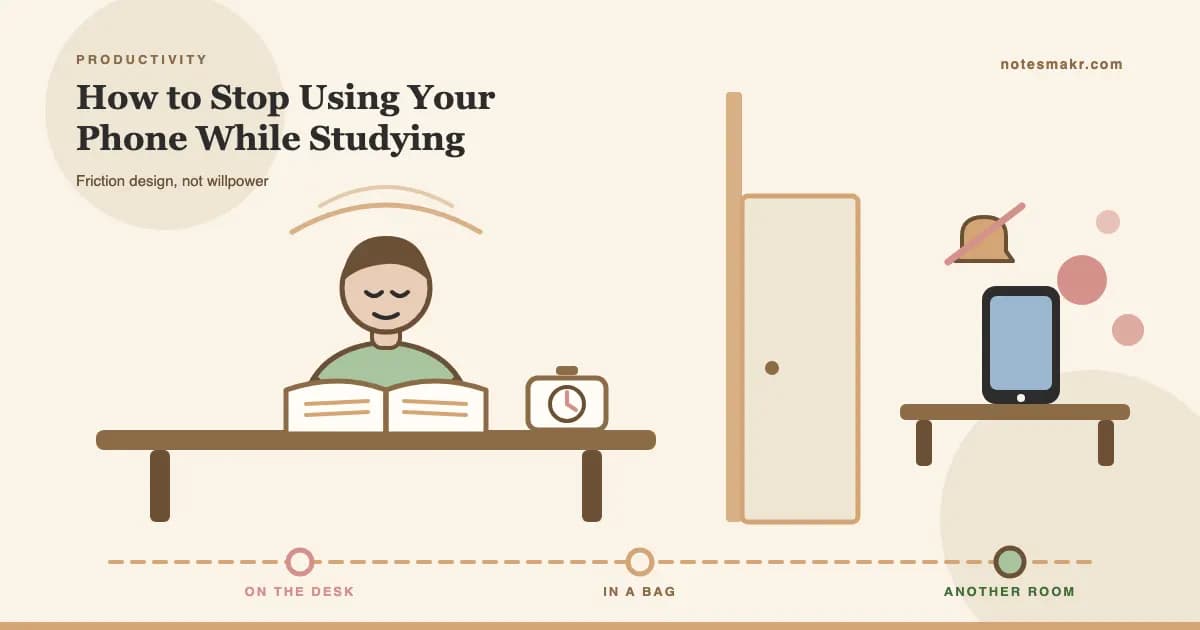
Here is the uncomfortable truth: you do not have a willpower problem. You have a distance problem.
Every article about how to stop using your phone while studying tells you the same five things. Airplane mode. Forest app. Pomodoro. Set boundaries. Be disciplined. You have tried all of them. You are reading this anyway, which means they did not hold.
They did not hold because they all assume the same thing: that the phone is a temptation you resist. It is not. It is a piece of hardware sitting at a certain distance from your hand, and that distance decides most of the outcome before your discipline gets a vote.
This post is not another tip list. It is about friction design: changing how many seconds and how many physical actions stand between you and the screen, so that the decision gets made once, in advance, by a calmer version of you.
Willpower is a decision you have to win a hundred times an hour. Friction is a decision you win once, at your desk, before you start.
Why you can't stop checking your phone while studying
You are not weak. You are outnumbered.
Common Sense Media's 2023 report Constant Companion tracked the actual phone activity of about 200 young people aged 11 to 17 for a week. It found that over half of them received 237 or more notifications per day, that 23% of those arrived during school hours, and that participants unlocked their phones more than 100 times a day on average.
That is not a character flaw. That is a delivery schedule.
And the interruption does not need to be long to work. Rosen, Carrier and Cheever (2013) sent observers into the homes of 263 students and watched them study for 15 minutes. Students averaged under six minutes on task before switching away, most often to technology.
Six minutes. Then a check. Then a rebuild.
The science: what a phone on your desk actually costs
The best-known study here is Ward, Duke, Gneezy and Bos (2017), published in the Journal of the Association for Consumer Research under the title "Brain Drain: The Mere Presence of One's Own Smartphone Reduces Available Cognitive Capacity."
The design is elegantly simple. Participants completed working-memory and fluid-intelligence tasks (an operation span task and Raven's matrices) with their own phone in one of three places:
- On the desk, face down
- In a pocket or bag
- In another room entirely
Nobody used their phone. Nobody was allowed to. The only variable was where it sat. In experiment 1 (N = 520), performance followed a clean linear trend: desk was worst, pocket was better, another room was best. The effect was largest for people who scored highest on smartphone dependence.
The honest caveat every other post skips
Here is where you should be suspicious of any article that stops at the paragraph above.
The mere-presence effect has not replicated cleanly. Ruiz Pardo and Minda (2022) ran a pre-registered direct replication of Ward et al.'s second experiment in Acta Psychologica and found no difference between phone-location conditions at all. Böttger, Poschik and Zierer (2023) pooled 22 studies and 43 effects in a meta-analysis and found a small overall effect (Hedges' g = -0.14). Broken down, memory was significantly affected (g = -0.23) while attention measures were not (g = -0.07, not significant).
So the strong version of the claim, "a face-down phone makes you measurably stupider," is not settled science. Treat anyone who states it flatly as someone who read a headline.
What that does not touch is the far larger and much better-supported effect: what happens when the phone actually pings, and what happens when you actually pick it up. That evidence is not contested, and it is where the real money is.
The real cost of one check
Three findings, stacked, explain why a two-second glance costs you far more than two seconds.
1. The notification alone is enough. Stothart, Mitchum and Yehnert (2015) had participants perform an attention-demanding task while their phones, sitting nearby and untouched, received calls and texts. Performance dropped significantly. The authors reported the disruption as comparable in magnitude to actually using the phone. You did not answer it. You paid anyway.
2. Interruptions of a few seconds break sequences. Altmann, Trafton and Hambrick (2014), in the Journal of Experimental Psychology: General, interrupted people mid-task. Interruptions averaging 2.8 seconds doubled the rate of sequence errors. Interruptions averaging 4.4 seconds tripled them. Think about what a study task actually is: a sequence. A proof, a mechanism, a paragraph of an essay argument. Sequences are exactly what brief interruptions destroy.
3. Part of your attention stays behind. Leroy (2009) named this attention residue: when you switch from task A to task B, cognitive activity about A persists, and performance on B suffers. Crucially, she found that simply finishing A is not enough to clear it. An unresolved thread, which is precisely what an unanswered message is, keeps drawing on you.
| What happened | What it costs |
|---|---|
| Notification arrives, you ignore it | Measurable drop in task performance (Stothart et al., 2015) |
| 2.8-second glance | Sequence errors roughly double (Altmann et al., 2014) |
| 4.4-second glance | Sequence errors roughly triple (Altmann et al., 2014) |
| You read a message and do not reply | Attention residue drags on the next task (Leroy, 2009) |
| Phone in another room | No notification, no glance, no residue |
Findings synthesised from Stothart et al. (2015), Altmann et al. (2014) and Leroy (2009). Effect sizes are drawn from lab tasks and are not direct predictions of exam scores.
Friction design: the fix that survives a bad day
Stop trying to want it less. Start making it cost more.
Friction design means engineering the number of seconds and physical actions between the impulse and the screen. The impulse is not the enemy and you will not remove it. You are adding a delay long enough for the impulse to expire, because the impulse is short and moving to another room is not.
Notice that this is exactly what the strongest condition in Ward et al.'s experiment was. Not "resist your phone." Another room.
Here is the ladder, weakest to strongest. Climb it until studying holds.
Do Not Disturb, not vibrate. Vibrate is still a notification, and Stothart et al. showed that the alert itself does the damage whether or not you act on it. Turn off badge counts too. A red "12" is a notification that never goes away.
Not face down on the desk. Off the desk. Behind you, on a shelf, in a bag with the zip closed. The rule is simple: you must have to stand up. Standing up is the friction. Reaching is not.
The strongest condition in the research, and the one nobody wants to hear. Another room means a door, a walk, and a visible decision. If you live in one room, a drawer across the room or a bag in the hallway works.
Do not ban checking. Schedule it. A 25-minute block, then a 5-minute break where checking is allowed and expected. Now the impulse has an appointment, which is what stops it arguing with you mid-sentence.
Most phones stay on the desk because they are doing a job: timer, music, dictionary, flashcards. Move each job somewhere else. A kitchen timer, a laptop playlist, a paper dictionary. A phone with no job is much easier to exile.
Step 5 is the one people skip, and it is the reason steps 1 to 4 fail. If your revision tool lives on your phone, you have built a rule you are required to break. If you are still deciding where to work in the first place, where you study changes how much friction you need more than most people expect.
Watch: attention, phones and focus
Quit Social Media, Cal Newport (TEDxTysons)
Newport's argument is that the ability to concentrate is becoming rare at exactly the moment it becomes valuable, and that fragmenting your attention all day trains you out of it. Key insight: treat deep concentration as a trainable skill you are currently detraining, not as a mood you wait for.
ADHD and How Anyone Can Improve Their Focus, Andrew Huberman
Huberman walks through the neuroscience of attention and why focus tends to arrive a few minutes after you start rather than before. Key insight: the first few minutes of a block always feel bad, which is precisely the window in which a reachable phone wins.
Before and after: one real two-hour block
7:00 Start reading. 7:04 Screen lights up, group chat. Ignore it, but read the sender's name. 7:06 Check it properly. Reply. 7:09 Back to the page. Reread the last paragraph because the argument is gone. 7:18 Notification. 7:31 "Quick" scroll. 7:52 Back on task. 8:10 Notification.
Time at the desk: 120 minutes. Genuinely continuous work: roughly four blocks of six minutes, each restarted from a slightly colder start.
Output: one chapter skimmed twice, no notes you could sit an exam on.
6:55 Phone into the kitchen, Do Not Disturb on. Kitchen timer set on the desk for 25 minutes. Water already poured. 7:00 Start reading. No pings, because they are in the kitchen. Minute nine feels boring. Nothing to reach for, so it passes. 7:25 Timer. Walk to the kitchen, check phone for 5 minutes, reply to two things. 7:30 Back. Repeat three more times.
Time at the desk: 120 minutes. Genuinely continuous work: four blocks of 25 minutes.
Output: chapter read once, closed, and summarised from memory onto a blank page.
Same person. Same willpower. The only change was where the phone was standing.
The step that makes the "after" column work is the last one: reading with the book closed. If you have not built that habit yet, active recall is the retrieval habit that makes a protected block worth protecting, and it is the reason two clean hours beat six fragmented ones.
Do apps to block your phone while studying actually work?
Partly. Be realistic about what they are.
A blocking app is software running on the device you are trying to escape, with an uninstall button and, usually, a "5 more minutes" option. It adds friction measured in seconds. Another room adds friction measured in a walk. Research on digital self-control tools generally finds modest, real effects that fade as users learn to route around them, which is exactly what you would predict from a barrier the user controls.
So use one, but use it in the right slot:
| Tool | Friction it adds | Best used for |
|---|---|---|
| Do Not Disturb / Focus modes | Removes the alert | Always on. Costs nothing. |
| Greyscale mode | Makes the screen boring | Reducing pull-to-scroll |
| App blockers and timers | A few seconds and a decision | Laptop work where the phone must stay nearby |
| Deleting the app for the week | Reinstall friction | Exam weeks, one specific app |
| Phone in another room | A walk and a visible choice | The default. Everything else is a fallback. |
Quick reference: how much friction does this session need?
| Situation | Minimum friction that works |
|---|---|
| Light reading, low stakes | Do Not Disturb, phone off the desk |
| Problem sets, proofs, mechanisms | Another room. Sequences break easily. |
| Essay writing or first drafts | Another room, plus a laptop blocker for the browser |
| Group or library session | Phones face down in a stack, first to reach for it buys coffee |
| Revising with your phone as the flashcard tool | Airplane mode plus Do Not Disturb, one app open, nothing else |
| Exam week | Delete the two worst apps for seven days. Reinstall after. |
Common mistakes (and how to fix them)
Mistake 1: face down on the desk counts as away
It does not. It is the weakest condition in the original experiment and it keeps the phone inside arm's reach, which is the only distance that matters.
The fix: make the rule physical, not moral. You must stand up to reach it.
Mistake 2: banning the phone entirely
A total ban has one failure mode, and once you break it the whole system is void for the rest of the day. This is the same all-or-nothing trap that wrecks study schedules.
The fix: schedule the check instead. The urge is not the problem. The unscheduled urge is.
Mistake 3: keeping the phone because it is your timer
Then every timer glance is a notification screen. That is the loop.
The fix: move the timer off the phone, or use a timer that will not show you anything else. This is the single highest-leverage swap on the list.
Mistake 4: blaming yourself for the first ten minutes
Every block starts uncomfortable. Focus arrives after you start, not before. Most phone-checks happen in that first uncomfortable window and get misread as proof that you cannot focus.
The fix: commit to ten minutes only. If you still want to stop at minute eleven, stop. You almost never will.
Mistake 5: treating this as a discipline problem
You are up against a designed system delivering hundreds of alerts a day. Framing that as a personal failing is both inaccurate and demotivating.
The fix: frame it as environment design. If you already struggle with starting at all, the phone is usually a symptom of procrastination rather than the cause, and it is worth fixing in that order.
Mistake 6: assuming this is one strategy among many
It is not a tip. It is the precondition for every other technique working. If you are working through the broader set of focus strategies, do the phone first, because none of the rest survive an interrupted block.
The research behind it
- Brain Drain (Ward, Duke, Gneezy & Bos, 2017): across two experiments (N = 520 and N = 275), working-memory and fluid-intelligence scores followed phone location, with desk worst and another room best.
- Failed direct replication (Ruiz Pardo & Minda, 2022): a pre-registered replication of Ward et al.'s second experiment found no effect of phone location. Reported here because the honest state of the evidence matters.
- Meta-analysis (Böttger, Poschik & Zierer, 2023): 22 studies, 43 effects. Overall Hedges' g = -0.14. Memory g = -0.23 (significant), attention g = -0.07 (not significant).
- Notification cost (Stothart, Mitchum & Yehnert, 2015): receiving a notification without touching the phone significantly disrupted an attention task, comparably to actual phone use.
- Momentary interruptions (Altmann, Trafton & Hambrick, 2014): 2.8-second interruptions doubled sequence errors, 4.4-second interruptions tripled them.
- Attention residue (Leroy, 2009): switching tasks leaves cognitive activity attached to the previous task, and finishing that task is not by itself enough to clear it.
- Media-induced task switching (Rosen, Carrier & Cheever, 2013): 263 students observed studying at home averaged under six minutes on task before switching.
- Classroom internet use (Ravizza, Uitvlugt & Fenn, 2017): objectively logged non-academic internet use during lectures predicted lower exam performance, after controlling for motivation, interest and intelligence.
- Notification volume (Common Sense Media, 2023): median 237+ notifications per day among 11 to 17 year olds, 23% during school hours, phones unlocked over 100 times a day.
How Notesmakr helps you protect the block
Notesmakr is an AI-powered notes maker that turns your notes, PDFs, audio and scans into flashcards, quizzes, mind maps and simplified explanations. For this specific problem, the useful part is the Focus Timer, because it gives the block a structure that does not require you to hold the line yourself.
Free, no subscription:
- Focus Timer locked to the classic 25/5/15 cycle: 25 minutes of focus, a 5-minute break, and a 15-minute long break every fourth block. That is the scheduled check from step 4, built in.
- Study streaks, a visible daily counter. A streak is a commitment device: it makes an abandoned block cost something small and immediate.
- Cloze flashcards with Diminishing Cues and SM-2 spaced repetition, so the work you do in a protected block actually gets reviewed later.
- Anki .apkg import and Anki-compatible export, if your material already lives elsewhere.
- AI flashcards, quizzes, mind maps, study guides, Feynman-style simplification and Pippy chat from your notes, PDFs or a scan, free within the free plan's limits: 5 AI notes and 40 AI generations.
On the Scholar plan:
- Focus Timer customisation: your own focus, break and long-break lengths and cycle cadence, if 25/5/15 does not fit your subject.
- Attaching study content to a focus session, so the material you are working on is inside the timer rather than one app-switch away.
- Focus analytics and session history, which is how you find out whether your blocks are actually 25 minutes or actually nine.
- Higher AI limits, plus turning recorded audio into notes.
The honest limitation: an app on your phone cannot put your phone in another room. Nothing can automate step 3. What software can do is remove the reasons the phone needs to be on the desk, which is the step that makes distance sustainable rather than heroic. If you want the timer method on its own first, the Pomodoro technique explains why 25 minutes is the default, and there is a fuller breakdown of what to look for in a study timer app.
Two more that pair well with a protected block: studying alongside someone raises the cost of reaching for your phone, and if attention regulation is a persistent difficulty rather than a habit, the ADHD-specific playbook is a better starting point. For turning a clean block into material you can actually review, the complete guide to AI flashcards covers the whole workflow, and you can turn a chapter into practice questions with the AI quiz maker or build a revision sheet with the study guide generator.
Frequently asked questions
Why can't I stop checking my phone while studying?
Because you are outnumbered, not weak. Common Sense Media found teens receive a median of 237 notifications a day and unlock their phones over 100 times daily. Each alert disrupts attention even when ignored. The fix is distance and scheduling, not resistance, because resistance has to win every single time.
Should I put my phone in another room while studying?
Yes, when possible. In Ward et al. (2017), the "other room" condition produced the best cognitive performance and the desk condition the worst. Even setting the research aside, another room means no notifications reach you and any check requires a deliberate walk, which is enough time for most impulses to expire.
Do phone-blocking apps actually work?
They help, modestly. A blocker adds seconds of friction on the device you are trying to escape, and it has an uninstall button. Research on digital self-control tools finds real but limited effects. Use blockers when distance is impossible, such as laptop work, and treat physical distance as the default.
How long does it take to refocus after checking your phone?
The often-quoted "23 minutes" figure is not well supported. What is measured: interruptions averaging 2.8 seconds doubled sequence errors and 4.4 seconds tripled them (Altmann et al., 2014), and switching tasks leaves attention residue on the old task (Leroy, 2009). The cost is real and immediate, not a fixed clock.
Is listening to music on my phone while studying bad?
The music is not the problem. The device is. If your phone is your speaker, every track change is a screen with notifications on it. Play music from a laptop or a separate device, or start a long playlist and put the phone in another room with the volume up.
Start today
- Turn on Do Not Disturb right now, and turn off badge counts while you are in there.
- List every job your phone does during study time. Timer, music, flashcards, camera.
- Replace each of those jobs with something that is not your phone.
- Decide where the phone lives during a block. Another room by default, a closed bag in the hallway if not.
- Set a 25-minute timer that is not your phone. Start. Expect minute nine to be boring.
- At the timer, go and check the phone. Five minutes, guilt free, then back.
- Do this four times. Then look at what you produced and compare it to yesterday.
You are not trying to become the kind of person who does not want their phone. You are trying to become the kind of person whose phone is in the kitchen.
"What information consumes is rather obvious: it consumes the attention of its recipients. Hence a wealth of information creates a poverty of attention."
— Herbert A. Simon, 1971